
Why Google Shopping Ads Are the Highest-ROAS Channel for Pakistani E-Commerce in 2026
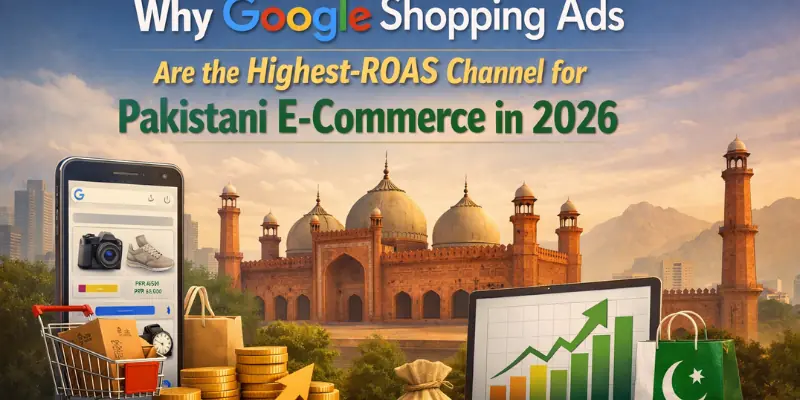
When a Pakistani consumer searches for men’s shalwar kameez Karachi or laptop bag under PKR 5000 on Google, the first thing they see is not a text ad or an organic listing. They see Shopping ads: product images, prices, brand names, and star ratings displayed directly in the search results before all text ads and organic results. These visual product listings capture buyer attention at the precise moment of highest purchase intent.
Google Shopping Ads in pakistan generate an average ROAS of 440 percent for Clickmasters Pakistani e-commerce clients, outperforming Google Search text ads at 340 percent average ROAS and Meta conversion campaigns at 280 percent average ROAS for product purchases. The reason is straightforward: Shopping ads intercept buyers who have already decided to purchase a product category and are actively comparing options. The visual format with price comparison accelerates decision-making in ways text ads cannot match.
Despite this performance advantage, fewer than 15 percent of Pakistani e-commerce businesses are running Google Shopping Ads. Most cite setup complexity as the barrier: Shopping requires a Google Merchant Center account with a verified product feed before any campaign can run. This guide removes that barrier with a complete step-by-step setup walkthrough, feed optimisation framework, and the campaign structures used by a digital marketing agency like Clickmasters to maximise Shopping ROAS for Pakistani online stores.
Google Shopping Pakistan Performance Benchmarks 2025

Average ROAS: 440 percent | Average CPC range: PKR 18 to 95 (significantly lower than Search text ads at PKR 35 to 720) | Average conversion rate on Shopping clicks: 3.8 to 7.2 percent | Best-performing categories: Fashion, electronics accessories, home goods, beauty, sports equipment | Pakistani Shopping search volume growth 2024 to 2025: 68 percent year-over-year | Source: Clickmasters e-commerce client portfolio data 2025
Google Shopping Ads vs Google Search Text Ads: Key Differences
| Dimension | Google Shopping Ads | Google Search Text Ads |
| How they appear | Product image, title, price, brand, star rating displayed visually above text results | Text headline, description, and URL in numbered list format |
| Triggering mechanism | Google auto-matches your product feed to relevant searches. No keyword bidding required. | You select specific keywords to bid on manually. |
| Primary creative asset | Product image and feed data. Image quality is critical. | Ad copy headlines and descriptions. Writing skill matters most. |
| CPC comparison Pakistan | PKR 18 to 95 average | PKR 35 to 720 depending on industry and competition |
| Setup requirement | Google Merchant Center with approved product feed required | Google Ads account only. No product feed needed. |
| Best for | E-commerce with physical products and clear pricing | Service businesses, lead generation, branded search defence |
| Negative keywords | Critical: Google auto-matches broadly without your keyword intent | Important but more controlled since you define initial keyword list |
PART 1: GOOGLE MERCHANT CENTER SETUP FOR PAKISTANI BUSINESSES
Setting Up Google Merchant Center: Step-by-Step for Pakistani E-Commerce
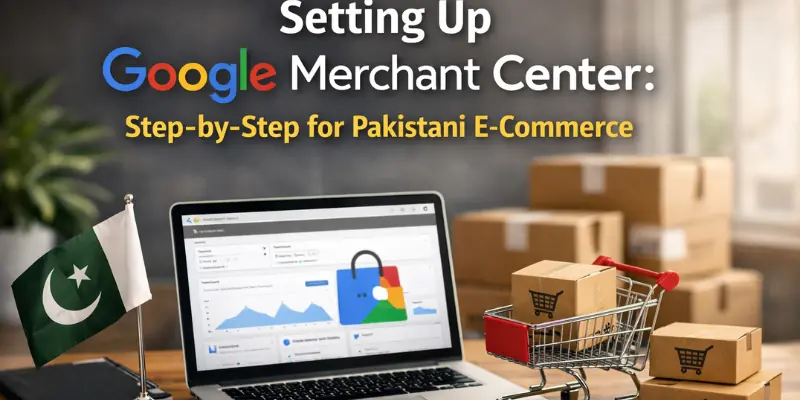
Google Merchant Center at merchants.google.com is where you upload and manage your product catalogue. Shopping campaigns cannot run without an active, approved Merchant Center account with a valid product feed. Pakistani businesses face specific setup considerations that generic international guides often omit.
Step 1: Account Creation and Website Verification

- 1.1 Go to merchants.google.com and sign in with the Google account linked to your Google Ads account. Enter your business name, select Pakistan as primary country of sale, and set PKR as business currency.
- 1.2 Website verification: Use one of four methods — HTML tag added to your homepage head section, Google Analytics 4 account linkage (fastest if GA4 is already installed), Google Tag Manager container linkage, or Google Search Console verification.
- 1.3 Website claim: After verification, claim your website URL. This associates your domain exclusively with your account and prevents other parties from claiming it.
- 1.4 Link to Google Ads: In Merchant Center go to Settings then Linked Accounts then Google Ads. Enter your 10-digit Google Ads Customer ID visible in your account header.
Step 2: Pakistan-Specific Merchant Center Configuration

⦁ Shipping settings: Google requires shipping information for Shopping ads to serve. Go to Programs, then Shopping Ads, then Shipping. Create a service for Pakistan with delivery time estimates (2 to 5 business days for Karachi, Lahore, and Islamabad; 5 to 10 for other areas) and your cost structure: free shipping, flat rate PKR 150 to 250, or weight-based.
⦁ Tax settings: Set Pakistan with no additional tax collection if you display PKR prices inclusive of all charges, which is standard practice for Pakistani e-commerce stores.
⦁ Return policy: Configure a clear return policy specifying a minimum 14-day return window and return method. Google increasingly factors return policy quality into Shopping ad eligibility for Pakistani accounts.
⦁ Business information: Complete all fields including customer service email, phone number, and physical business address. Incomplete business information is the second most common cause of product disapprovals in Pakistani Merchant Center accounts.
Product Feed Creation The Core of Google Shopping for Pakistani Stores
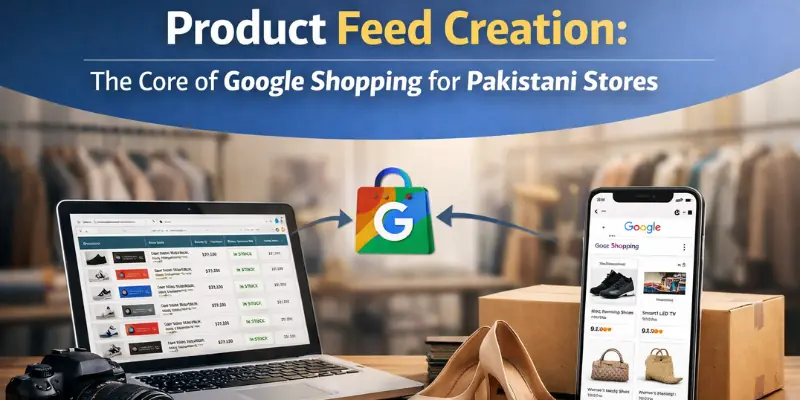
Your product feed is a structured data file containing information about every product you want to advertise. Google reads this file to match your products to relevant Pakistani search queries. Feed quality is the single most important factor determining Shopping campaign performance — more impactful than bidding strategy or campaign structure.
Required Product Feed Attributes
| Attribute | Requirement | Pakistan-Specific Notes |
| id | Unique product identifier (SKU or internal ID) | Must match website product URLs consistently. Changing IDs causes disapprovals. |
| title | Product name, 70 to 150 characters recommended | Most critical field. Include keyword, brand, size, colour, material. Never use vague truncated names. |
| description | Product description, 500 to 5,000 characters | Include all specs Pakistani buyers compare: fabric, dimensions, weight, compatibility, accessories included. |
| link | Direct URL to product page | Must resolve to exact product page, not category. Use HTTPS. |
| image_link | URL of main product image | Minimum 800×800 pixels. White background performs best for most categories. |
| price | Price in PKR format: 2500 PKR | Must match website exactly. Price mismatches cause immediate disapproval. |
| availability | in_stock, out_of_stock, or preorder | Update in real-time. Showing unavailable products wastes budget on dead clicks. |
| brand | Brand name | Required for most categories. Use your brand name for own-brand products. |
| google_product_category | Google taxonomy ID | Correct categorisation improves match accuracy. Use the most specific applicable category. |
Product Title Optimisation: The Highest-Impact Feed Improvement for Pakistan
Product titles are the primary signal Google uses to match your products to Pakistani search queries. Poorly structured titles cause low impressions or poor match quality. Title improvements consistently generate 20 to 45 percent CTR lifts in Clickmasters Pakistani Shopping account audits.
| Category | Title Formula | Example Title |
| Fashion and Apparel | Brand + Gender + Product Type + Colour + Material + Key Feature | Khaadi Women Lawn Shalwar Kameez 2-Piece Navy Blue Embroidered Stitched |
| Electronics | Brand + Product Type + Model + Key Spec + Compatibility | Anker USB-C Cable 2m 60W Fast Charging Compatible Samsung iPhone |
| Shoes | Brand + Gender + Type + Material + Colour + Size Range | Borjan Men Formal Oxford Leather Brown Sizes 40 to 46 |
| Home and Kitchen | Brand + Product Type + Size + Material + Colour | Waves Microwave Oven 20L Digital Silver Stainless Steel Interior |
| Beauty | Brand + Product Type + Variant + Size + Key Benefit | Hemani Argan Oil Serum 60ml Anti-Frizz Heat Protection All Hair Types |
| Sports | Brand + Sport + Product Type + Key Spec + Gender | Asics Running Shoes Men GT-1000 Lightweight Cushioned UK 7 to 12 |
Pakistani Shopping Title Mistakes to Avoid
Never use generic titles like Men Shirt or Running Shoes. Avoid ALL CAPS. Do not include promotional text like Best Price in titles. Do not keyword-stuff unnaturally. Never truncate important attributes: Khaadi Lawn Suit loses to Khaadi Women Lawn Shalwar Kameez 2-Piece Embroidered Stitched in every performance metric
PART 2: CAMPAIGN STRUCTURE AND BIDDING STRATEGY
Standard Shopping vs Performance Max for Pakistani E-Commerce
| Campaign Type | How It Works | Best For Pakistan | ROAS Expectation |
| Standard Shopping | Manual: you control product groups, bids, placement. Shopping Network only. | Stores with under 50 monthly conversions or wanting granular control over specific products. | 380 to 520 percent ROAS for well-structured accounts. |
| Performance Max | Google AI manages bids across Shopping, Search, Display, YouTube, and Gmail simultaneously. | Stores with 50 or more monthly purchase conversions. AI needs conversion data to optimise effectively. | 500 to 800 percent ROAS ceiling with sufficient data. Underperforms below 50 conversions per month. |
| Smart Shopping (Legacy) | Predecessor to Performance Max. No longer available for new campaigns. | Migrate to Performance Max if still running Smart Shopping. | Replaced by Performance Max. |
Standard Shopping Campaign Structure for Pakistani E-Commerce
- Level 1: Campaign level: Separate campaigns per major product category. Campaign 1 for Fashion, Campaign 2 for Electronics, Campaign 3 for Home Goods. Set separate daily budgets and bidding per campaign.
- Level 2: Ad Group level: Within each campaign, ad groups for subcategories. Within Fashion: Ad Group 1 for Lawn Suits, Ad Group 2 for Formal Wear, Ad Group 3 for Casual Wear.
- Level 3: Product Group level: Subdivide by brand, price tier, or margin to enable different bids for high-margin vs low-margin products.
- Level 4: Everything Else catch-all: Always maintain an Everything Else product group at the lowest bid in each ad group to ensure all products remain eligible while controlling spend on non-priority items.
Bidding Strategy for Pakistani Shopping Campaigns
| Bidding Strategy | When to Use for Pakistan |
| Manual CPC | New campaigns with no conversion history. Use for first 30 to 60 days to build data before smart bidding. |
| Enhanced CPC (ECPC) | Transitional strategy moving from Manual CPC to Smart Bidding. Requires 30 to 100 total conversions. |
| Target ROAS | Best-performing strategy with 50 or more monthly conversions. Set target 20 percent below historical ROAS to allow learning flexibility. |
| Maximise Conversion Value | Use when launching new campaigns or after major restructure. Full bid flexibility to gather conversion data before setting ROAS targets. |
Target ROAS Setting for Pakistani E-Commerce
Set your Target ROAS at historical ROAS minus 20 percent. If current Shopping ROAS is 400 percent, set target at 320 percent. This gives Google enough bid flexibility to maintain performance. Increase target by 25 to 50 percent increments monthly as performance stabilises. Setting the target too high immediately restricts impression share and tanks traffic volume
Negative Keywords: The Most Underused Optimisation for Pakistani Shopping
Google Shopping does not use keyword bidding — it automatically matches your products to search queries based on your feed. Without robust negative keyword lists, Pakistani Shopping campaigns waste 20 to 40 percent of budget on searches that will never convert.
Essential Negatives for Pakistani Shopping Campaigns
⦁ Competitor brand terms: Add major Pakistani and international competitor brand names as negatives if you do not sell those brands.
⦁ DIY and informational searches: Add recipe, how to make, how to use, tutorial, DIY, instructions as phrase-match negatives.
⦁ Job and career searches: Add job, vacancy, salary, career, internship as negatives for product categories sharing vocabulary with job titles.
⦁ Image and media searches: Add wallpaper, image, photo, picture, video as negatives.
⦁ Second-hand intent: If selling new products only, add second hand, used, rental, rent as negatives.
⦁ International delivery intent: If selling Pakistan-only, add USA, UK, Canada, India, Amazon, eBay, and international delivery terms as negatives.
Search Term Report Mining for Pakistani Shopping
Go to Reports then Search Terms in Google Ads weekly for the first 3 months. Add non-converting and irrelevant search queries as negatives. Watch for: Roman Urdu search terms that are not converting, international delivery intent queries, and informational searches for product education rather than purchase intent. The Search Terms report is your most valuable feed of Pakistani Shopping optimisation data.
PART 3: FEED ERRORS AND ADVANCED OPTIMISATION
Top Merchant Center Disapproval Reasons for Pakistani Online Stores
Product disapprovals prevent your Shopping ads from showing. Clickmasters audits of Pakistani Merchant Center accounts find an average 23 percent disapproval rate on first submission. The following are the most frequent causes and their solutions.
| Disapproval Reason | Frequency | Solution for Pakistan |
| Price mismatch: feed price differs from website | 31 percent of disapprovals | Update feed within 24 hours of any price change. Use WooCommerce or Shopify plugins that auto-sync prices. |
| Missing or invalid GTIN for branded products | 24 percent | Add GTINs for branded goods. For own-brand products use brand plus MPN. Check GS1 Pakistan for GTIN registration. |
| Image policy violation: watermarks or overlaid text | 18 percent | Remove all watermarks, promotional text, and overlays from product images. Use plain white or grey backgrounds. |
| Website crawl errors: Google cannot access landing page | 14 percent | Ensure robots.txt does not block Googlebot. Verify product pages are not behind login walls or age gates. |
| Mismatched titles: feed title differs from page title | 8 percent | Product title in feed must match the title displayed on the product landing page. |
| Policy violation: prohibited content | 5 percent | Ensure no alcohol, adult content, counterfeit goods, or dangerous products in feed. |
Custom Labels: Strategic Segmentation for Pakistani Shopping
Custom labels are optional feed attributes (custom_label_0 through custom_label_4) that you define to segment products in your campaigns. They enable targeted bidding per segment without affecting product matching or approval.
⦁ Custom Label 0: Margin tier (high-margin, medium-margin, low-margin). Enables different ROAS targets by product profitability.
⦁ Custom Label 1: Price tier in PKR (under-1000, 1000-to-5000, 5000-to-15000, above-15000). Pakistani consumer behaviour differs significantly by price tier — impulse vs considered purchase.
⦁ Custom Label 2: Seasonality (ramadan-special, eid-collection, winter, summer, year-round). Enables budget reallocation to seasonal products during Pakistani peak periods.
⦁ Custom Label 3: Performance tier (bestseller, new-arrival, slow-mover, clearance). Bid higher on bestsellers, use lower bids to clear slow-moving inventory.
⦁ Custom Label 4: Brand type (own-brand, licensed, resale). Enables different bidding strategies per brand type.
Product Images: The Shopping Conversion Factor Pakistani Brands Underinvest In
Product image quality is the primary determinant of click-through rate in Shopping ads. A Pakistani buyer scanning Shopping results makes their click decision in under 2 seconds based almost entirely on the product image. Image improvements consistently generate 15 to 35 percent CTR lifts in Clickmasters Pakistani Shopping audits.
⦁ Format: Square 1:1 ratio, minimum 800×800 pixels, ideally 1200×1200. PNG or JPEG.
⦁ Background: White or light grey background performs best for product CTR in Pakistani Shopping for most categories.
⦁ Fashion exception: For Pakistani fashion items including shalwar kameez and formal wear, model images on a clean background consistently outperform flat lay images. Models should reflect Pakistani aesthetic norms for the target demographic.
⦁ Image testing: Upload 2 to 3 image variants per product. Google’s system preferentially shows higher-performing images over time, enabling passive optimisation.
Case Study: Lahore Fashion E-Commerce — PKR 2.1M Monthly Shopping Revenue in 90 Days
A Lahore-based women’s fashion e-commerce store selling lawn, formal, and casual Pakistani wear had been running Google Search text ads with PKR 120,000 per month spend and 180 percent ROAS. They had no Shopping campaigns running at all. Clickmasters conducted a Shopping opportunity audit and launched campaigns from zero.
Setup Phase — Weeks 1 and 2
⦁ Created Merchant Center account, verified website via Google Search Console
⦁ Configured Pakistan shipping: flat rate PKR 150 for Karachi and Lahore, PKR 200 for other cities, free shipping on orders over PKR 3,000
⦁ Built product feed for 847 active SKUs using WooCommerce Google Listings plugin
⦁ Optimised titles for top 200 highest-margin products using category-specific title formula
⦁ Fixed 31 percent initial disapproval rate: resolved price mismatches, added GTINs for accessories, replaced 94 watermarked images
⦁ Final approved feed: 823 products at 97.2 percent approval rate
Campaign Structure
⦁ Campaign 1 High Priority: Lawn Collection — PKR 40,000/month, Target ROAS 350 percent
⦁ Campaign 2 Medium Priority: Formal Wear — PKR 30,000/month, Target ROAS 380 percent
⦁ Campaign 3 Medium Priority: Casual Wear — PKR 25,000/month, Target ROAS 320 percent
⦁ Campaign 4 Low Priority: All Other Products — PKR 25,000/month, Maximise Conversion Value
⦁ Negative keywords: 180 negatives added at launch across competitor brands, DIY searches, and international delivery intent
Results at 90 Days
| Metric | Before Shopping | 90 Days After Launch |
| Monthly Google Ads spend | PKR 120,000 | PKR 120,000 (reallocated from Search to Shopping) |
| Monthly Shopping revenue | PKR 0 | PKR 2,100,000 |
| Shopping ROAS | Not running | 1,750 percent |
| Search text ads ROAS | 180 percent | 220 percent (improved by better landing page relevance) |
| Combined Google ROAS | 180 percent | 870 percent |
| Monthly Shopping clicks | 0 | 14,680 |
| Average Shopping CPC | Not running | PKR 8.17 |
| Shopping conversion rate | Not running | 6.8 percent |
| Best category ROAS | Not running | Lawn 2-piece sets at 2,340 percent |
Conversion Tracking Fix for Pakistani Payment Gateways
JazzCash, EasyPaisa, and bank transfer redirects break the Google Ads Shopping conversion tag. When a buyer completes payment via JazzCash, they leave your website and return from the payment portal. This redirect interrupts Google’s purchase conversion tag, making the sale invisible to the bidding algorithm.
⦁ Fix 1: Import conversions from Google Analytics 4 rather than using the Google Ads conversion tag directly. GA4 measurement is more resilient to payment redirects. In Google Ads go to Conversions, Import, Google Analytics 4, and import your Purchase event.
⦁ Fix 2: Use Google Conversion API to send purchase events from your server after payment confirmation is received. Available via official WooCommerce and Shopify Google plugins.
⦁ Fix 3: Configure a post-payment confirmation thank-you page hosted on your own domain that fires the Google conversion tag. Design your payment flow so buyers land on your own confirmation page after gateway completion.
Frequently Asked Questions: Google Shopping Pakistan
Can I run Shopping Ads if my store uses JazzCash or EasyPaisa only?
Yes. Shopping ad availability depends on your product feed and Merchant Center validity, not your payment methods. You can run Shopping ads with any Pakistani payment gateway. The challenge is conversion tracking, which you should address using the GA4 import or Conversion API method. Shopping ads will still generate traffic and sales even with imperfect conversion tracking, but bidding optimisation will be less effective until tracking is fixed. Prioritise resolving conversion tracking within the first 30 days
How long does Merchant Center approval take for Pakistani businesses?
Initial account creation is instant. Website verification takes 24 to 48 hours. Product feed approval for first-time feeds with no violations takes 3 to 5 business days. Feeds with violations require manual fixes and re-review, adding 7 to 14 days. Pakistani businesses with new domains under 6 months old face additional verification scrutiny and may need to submit business registration documents. Start Merchant Center setup 3 to 4 weeks before your planned Shopping campaign launch date.
Should I use Performance Max or Standard Shopping?
Clickmasters recommendation: start with Standard Shopping for the first 60 to 90 days. Build conversion history of 50 or more monthly purchases before activating Performance Max. PMax requires substantial conversion data to optimise effectively. Once you have 50 or more monthly conversions on Standard Shopping with consistent ROAS, layer in a Performance Max campaign alongside your Standard Shopping campaigns rather than replacing them. Monitor the incremental revenue contribution of PMax before fully committing budget