
Why Pakistani Business Websites Are Disproportionately Targeted — And What Is at Stake
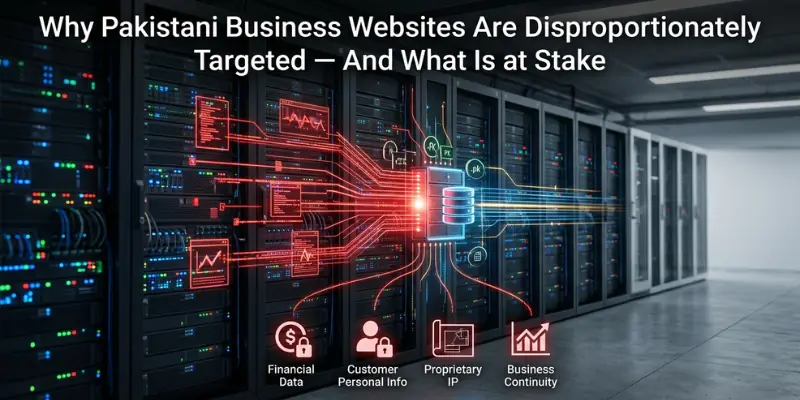
Pakistan ranks among the top 10 countries globally for web application attack frequency according to multiple cybersecurity monitoring services. Pakistani business websites on shared hosting environments are targeted by automated scanning tools at a rate that Western website owners would find startling: Clickmasters security audits document an average of 340 to 1,200 automated attack attempts per day on an unprotected Pakistani WordPress installation. These are not targeted attacks by human hackers — they are automated botnets scanning the internet for known vulnerabilities in outdated Pakistani WordPress installations, unpatched plugins, and misconfigured hosting environments.
The consequences of a successful top website Security Tips. Google Search Console flags hacked websites with a Security Issue warning that removes them from search rankings immediately — recovery can take 30 to 90 days and cost significant SEO equity. Customer data theft from Pakistani e-commerce stores exposes businesses to legal liability under Pakistan’s Personal Data Protection Act 2023. Website defacement destroys brand credibility with Pakistani clients who see an hacked page. Ransomware on hosting servers encrypts files and demands payment in cryptocurrency that most Pakistani businesses cannot easily access.
This guide documents the 10 critical top website security tip protections every Pakistani business website must implement in 2026, in priority order from highest impact to supplementary layers. Each protection includes implementation instructions, cost benchmarks in PKR, and the specific Pakistani security risks it addresses.
| Pakistani Website Security Reality Check 2025 Percentage of Pakistani WordPress sites running outdated core versions: 61 percent | Percentage with at least one vulnerable plugin installed: 78 percent | Average time for automated scanner to find a new vulnerable Pakistani WordPress installation: 4 to 7 hours after going live | Most common attack type on Pakistani business websites: Credential stuffing via wp-admin brute force (42 percent) | Second most common: SQL injection via vulnerable plugins (31 percent) | Third most common: File upload vulnerability exploitation (18 percent) | Source: Clickmasters security audit data from 120 Pakistani business websites 2024 to 2025 |
| THE 10 CRITICAL SECURITY PROTECTIONS |
Protection 1: SSL/TLS Certificate — The Non-Negotiable Foundation
An SSL/TLS certificate encrypts all data transmitted between your Pakistani website and its visitors. Without SSL, every piece of information a Pakistani user submits through your website — contact form data, login credentials, payment information, and WhatsApp enquiry details — is transmitted in plain text that can be intercepted on any network the data traverses.
Google Chrome marks all HTTP websites as Not Secure in the address bar, a signal that Pakistani users have learned to distrust. Pakistani e-commerce websites without SSL lose approximately 38 percent of potential customers at the checkout stage, according to Clickmasters conversion tracking analysis. Google ads also uses HTTPS as a ranking signal — HTTP websites receive a ranking penalty relative to equivalent HTTPS sites.
SSL Implementation for Pakistani Websites
- Free option: Let’s Encrypt provides free 90-day auto-renewing SSL certificates. Available through most Pakistani hosting control panels (cPanel Let’s Encrypt, Certbot) and through Cloudflare’s free tier.
- Cloudflare SSL: The fastest SSL implementation for Pakistani websites. Enable Cloudflare (free account), activate SSL/TLS Full Strict mode, and Cloudflare handles certificate management automatically.
- Paid SSL for e-commerce: For Pakistani e-commerce stores handling payments, an Organisation Validated (OV) SSL from Sectigo or DigiCert provides the business identity verification that builds additional payment trust. Cost: PKR 8,000 to 25,000 per year.
- Mixed content check: After installing SSL, use the Why No Padlock tool to identify any HTTP resources (images, scripts, stylesheets) loaded on HTTPS pages. Mixed content generates browser security warnings and must be corrected.
- HSTS implementation: Add the Strict-Transport-Security header to instruct browsers to always use HTTPS for your Pakistani domain. Prevents protocol downgrade attacks.
| SSL Cost for Pakistani Businesses Free: Let’s Encrypt via cPanel or Cloudflare — appropriate for most Pakistani business websites | PKR 8,000 to 15,000/year: Standard DV SSL with trust seal — suitable for Pakistani service businesses handling sensitive enquiries | PKR 15,000 to 25,000/year: OV SSL — recommended for Pakistani e-commerce stores | PKR 40,000 to 120,000/year: EV SSL with green bar — appropriate for Pakistani financial services and high-value transaction sites |
Protection 2: Web Application Firewall (WAF) — Blocking Attacks Before They Reach Your Site

A Web Application Firewall (WAF) sits between the public internet and your Pakistani website, analysing all incoming traffic and blocking requests that match known attack patterns. A WAF blocks SQL injection attempts, cross-site scripting (XSS) attacks, brute force login attempts, and the automated scanning tools that probe Pakistani websites thousands of times per day. Without a WAF, these attacks reach your web server and application code directly.
WAF Options for Pakistani Business Websites
- Cloudflare WAF (free tier): Cloudflare’s free plan includes basic WAF rules covering common attack patterns. This free WAF blocks the majority of automated attacks targeting Pakistani WordPress sites. Essential minimum protection for every Pakistani business website. Implementation: enable Cloudflare on your domain and activate the Security section WAF rules.
- Cloudflare WAF (paid tiers): Cloudflare Pro at USD 25 per month (PKR 7,000) includes advanced WAF rules, bot management, and DDoS protection beyond the free tier. Recommended for Pakistani e-commerce stores and any website handling customer data.
- Wordfence for WordPress (free and premium): Wordfence is the most widely used WordPress security plugin in Pakistan. The free version includes a basic WAF, malware scanner, and login security. Wordfence Premium at USD 119 per year (PKR 33,000) adds real-time threat intelligence. Install on every Pakistani WordPress website.
- Sucuri WAF: USD 9.99 to 24.99 per month (PKR 2,800 to 7,000). Cloud-based WAF that routes Pakistani website traffic through Sucuri’s security infrastructure. Includes malware removal if the site is compromised while under Sucuri protection.
Protection 3: Strong Authentication — Closing the Most Common Attack Vector

Brute force attacks against Pakistani WordPress admin accounts represent 42 percent of all successful Pakistani website compromises in Clickmasters digital marketing agency security data. Automated tools attempt thousands of username and password combinations per hour against Pakistani wp-admin URLs. The solution requires three layers: changing the default admin username, implementing strong passwords, and adding two-factor authentication.
Strong Authentication Implementation for Pakistani WordPress Sites
- Change the admin username: The default admin username on a new WordPress installation is admin. Change it to a non-obvious custom username during initial setup. Go to Users, Add New User, assign Administrator role, log in with the new user, delete the original admin account.
- Strong password policy: WordPress administrator passwords must be minimum 16 characters with uppercase, lowercase, numbers, and symbols. Use a password manager such as Bitwarden (free) to generate and store strong Pakistani admin credentials. Never reuse passwords across Pakistani hosting accounts.
- Two-factor authentication (2FA): Install WP 2FA or Google Authenticator plugin for WordPress. Require 2FA for all Administrator and Editor accounts. Even if a Pakistani attacker obtains your password, 2FA blocks account access without the second factor.
- Change the wp-admin URL: The default WordPress login is at yoursite.com/wp-admin — a URL that automated Pakistani scanners target by default. The WPS Hide Login plugin changes this to a custom URL, reducing automated login attack volume by 85 to 95 percent.
- Limit login attempts: Wordfence and Loginizer both block IP addresses after a configurable number of failed login attempts. Set the limit to 3 to 5 failures before blocking. This stops brute force attacks within seconds.
Protection 4: Automated Backups With Off-Site Storage
Automated backups are not a security attack prevention — they are the recovery mechanism that determines whether a Pakistani business can restore normal operations within hours or weeks of a security incident. Pakistani business websites without current backups that experience a ransomware attack, database corruption, or hosting provider failure face a situation where months of content, customer data, and configuration work is permanently lost.
Backup Strategy for Pakistani Business Websites
- Backup frequency: Daily backups for Pakistani websites with regular content updates (e-commerce orders, blog posts, customer registrations). Weekly backups minimum for static business websites.
- Off-site storage: Backups stored only on the same server as the website are destroyed if that server is compromised or lost. Store backups in at least one off-site location: Google Drive (free 15GB), Dropbox (free 2GB), AWS S3 (low cost), or a local external drive for critical Pakistani business data.
- WordPress backup plugins: UpdraftPlus (free version sufficient for most Pakistani sites) automatically backs up your WordPress database and files and sends them to Google Drive, Dropbox, or S3. Configure: database backup daily, files backup weekly, retain 14 daily and 4 weekly backups.
- Hosting provider backup: Most Pakistani VPS and managed WordPress hosts provide automatic backups. Verify: backup frequency, retention period, and restoration process. Do not rely solely on hosting backups — they are lost if the hosting account is terminated or compromised.
- Test your backups: A backup that cannot be restored is useless. Test restore one Pakistani website backup per quarter to a staging environment to verify the restoration process works before you need it in an emergency.
Protection 5: WordPress Core and Plugin Updates — Eliminating Known Vulnerabilities
Seventy-eight percent of Pakistani WordPress website compromises exploit known vulnerabilities in outdated plugins or WordPress core versions that have been patched in available updates. The vulnerability information is public — attackers run automated tools that identify Pakistani websites running vulnerable versions and exploit them within hours of vulnerability disclosure.
Update Management for Pakistani WordPress Sites
- Enable automatic WordPress core updates for minor security releases. In wp-config.php, add: define(‘WP_AUTO_UPDATE_CORE’, ‘minor’); This ensures security patches are applied automatically without requiring manual intervention.
- Review and update plugins weekly. Go to Dashboard then Updates. Outdated plugins on Pakistani WordPress sites are the leading attack surface. Prioritise updating security plugins (Wordfence, Sucuri), SEO plugins (Yoast, RankMath), and e-commerce plugins (WooCommerce) as these handle the most sensitive data.
- Audit installed plugins quarterly. Pakistani WordPress sites accumulate inactive plugins that create security vulnerabilities even when deactivated. Deactivated plugins with outdated code can still be exploited. Delete all unused plugins entirely.
- Evaluate plugin reputation before installation. Check the plugin’s last update date (never install a plugin not updated in 12 or more months), active installation count (1,000 plus is minimum for confidence), and review rating on WordPress.org.
- Staging environment for major updates: Before updating major plugins (WooCommerce, major themes, page builders) on production Pakistani websites, test updates on a staging clone. Elementor, DIVI, and WPBakery updates have historically caused layout breakages on Pakistani sites without staging testing.
Protection 6: Malware Scanning and Monitoring
Malware can be injected into Pakistani WordPress files or databases without immediately visible symptoms. Pakistani websites are frequently compromised and used as spam relay platforms, cryptocurrency mining hosts, or phishing page servers for months before the business owner notices. By the time visible symptoms appear — Google blacklisting, hosting suspension, or Pakistani customer complaints — the malware has been active for weeks.
Malware Scanning Implementation for Pakistani Websites
- Wordfence free tier: Includes scheduled malware scanning that checks all WordPress core files, plugins, and themes against known clean versions. Run a full scan weekly. Configure email alerts for malware detection to your Pakistani business email and your developer’s email.
- Google Search Console Security Issues: Monitor your GSC Security Issues section regularly. Google flags Pakistani websites with detected malware, hacked content, and social engineering pages. A warning here causes immediate ranking removal — check weekly.
- MalCare or Sucuri Site Scan: External scanning tools check your Pakistani website from the outside, detecting malware in publicly accessible files without requiring access to your server. Run a monthly external scan as a secondary check.
- Server-level monitoring: If your Pakistani website is on VPS hosting, implement server-level file integrity monitoring (AIDE or Tripwire) that alerts when WordPress core files are modified outside of update cycles — an indicator of compromise.
Protection 7: Security Headers Implementation
HTTP security headers are instructions your Pakistani web server sends to browsers that instruct them to enforce specific security policies. Implementing security headers closes several attack vectors with minimal performance impact and zero cost beyond development time.
| Security Header | What It Does for Pakistani Sites | Implementation Priority |
| Strict-Transport-Security (HSTS) | Forces browsers to always use HTTPS for your Pakistani domain. Prevents protocol downgrade attacks. | High — implement immediately after SSL installation |
| Content-Security-Policy (CSP) | Restricts which domains can serve scripts, styles, and media on your Pakistani pages. Prevents XSS injection attacks. | High — complex to configure correctly but blocks major attack class |
| X-Frame-Options: DENY | Prevents your Pakistani pages from being loaded in iframes. Blocks clickjacking attacks that overlay invisible buttons over your content. | High — simple to implement, significant protection |
| X-Content-Type-Options: nosniff | Prevents browsers from MIME-type sniffing — stops certain injection attacks on Pakistani sites. | Medium — implement alongside other headers |
| Referrer-Policy | Controls what referrer information is sent when Pakistani visitors click links from your site. Protects visitor privacy. | Low — implement for compliance but low security impact |
| Permissions-Policy | Restricts which browser features (camera, microphone, geolocation) your Pakistani pages can access. | Low — implement for sensitive Pakistani sites handling personal data |
| Testing Security Headers for Pakistani Websites Use securityheaders.com to scan your Pakistani website and receive an A to F grade for security header implementation. A grade of C or below indicates significant security header gaps. Implement missing headers in your Pakistani server configuration file (Apache .htaccess or Nginx nginx.conf) or through Cloudflare’s Page Rules and Transform Rules features. |
Protection 8: Database Security — Protecting Pakistani Customer Data
Your Pakistani business website’s database contains your most sensitive business data: customer contact information, order history, enquiry details, admin credentials, and potentially payment information. Database compromises are the highest-impact Pakistani website security incidents because the extracted data enables both direct fraud against Pakistani customers and regulatory liability for your business.
- Change WordPress database prefix: The default WordPress database table prefix is wp_. Change it to a random string like a8k2_ during installation or using a security plugin. Automated SQL injection tools target the wp_ prefix specifically, making default-prefix Pakistani sites easier targets.
- Database user permissions: The WordPress database user should have only SELECT, INSERT, UPDATE, and DELETE permissions. Never grant DROP, ALTER, or GRANT OPTION to the WordPress database user. This limits the damage possible from a successful SQL injection attack.
- Disable external database access: Configure your Pakistani database server to accept connections only from localhost (127.0.0.1). External database access from non-localhost IPs should be blocked at the firewall level on Pakistani VPS hosting.
- Never store plain-text passwords: WordPress hashes passwords by default — do not implement custom Pakistani login systems that store passwords in plain text. For any custom web application built in Pakistan, use bcrypt or Argon2 password hashing.
- Encrypt sensitive Pakistani customer data at rest: For Pakistani e-commerce stores and applications handling CNIC numbers, addresses, or financial data, implement database-level or application-level encryption for sensitive fields. Pakistan’s Personal Data Protection Act 2023 requires appropriate security measures for personal data.
Protection 9: Hosting Environment Hardening
Pakistani shared hosting environments are the most frequently compromised website infrastructure category in Pakistan. The shared-server architecture means a vulnerability in one account can expose other accounts on the same server through cross-account contamination. Moving to VPS hosting is the most impactful single infrastructure security improvement for Pakistani business websites.
Hosting Hardening for Pakistani VPS Environments
- Disable PHP execution in upload directories: Pakistani WordPress sites are frequently compromised by uploading malicious PHP files through vulnerable plugin file upload functions. Add an .htaccess rule to wp-content/uploads/ that prevents PHP execution in that directory.
- PHP version: Run PHP 8.2 or 8.3 minimum. PHP 7.4 and below reached end-of-life and no longer receive security updates. Pakistani shared hosting environments frequently run outdated PHP versions. Check your PHP version in cPanel and update via the PHP Selector.
- Disable XML-RPC if not needed: WordPress’s XML-RPC endpoint (xmlrpc.php) is a frequent target of Pakistani brute force attacks and DDoS amplification. Disable it via Wordfence or by adding an .htaccess block unless you specifically need it for mobile app authentication or Jetpack.
- File permissions: WordPress directories should be 755, WordPress files should be 644. Wp-config.php should be 440 or 400. Overly permissive file permissions (777 on files or directories) are a common Pakistani hosting misconfiguration that enables file modification attacks.
- Error reporting: Disable PHP error display in production. Error messages on Pakistani websites expose file paths, database structure, and code logic to attackers. In wp-config.php: define(‘WP_DEBUG’, false); and define(‘WP_DEBUG_DISPLAY’, false);
Protection 10: Incident Response Plan — What to Do When Your Pakistani Site Is Hacked
A Pakistani business website will likely face a security incident at some point regardless of the protections implemented. The difference between a 2-hour recovery and a 3-week crisis is having a documented incident response plan before the incident occurs. Pakistani business owners who discover a compromised website without a response plan consistently spend 3 to 5 times longer recovering than those with a predetermined process.
Pakistani Website Security Incident Response Steps
- Step 1: Isolate the compromised site: Take the Pakistani website offline or put it in maintenance mode immediately to prevent Pakistani visitors from being exposed to malware or phishing content. This also pauses Google’s crawling of compromised content.
- Step 2: Change all credentials: Immediately change WordPress admin password, hosting control panel password, FTP credentials, and database password. Notify any co-administrators to change their credentials as well.
- Step 3: Identify the attack vector: Review server access logs, WordPress activity logs (if logging was enabled), and file modification timestamps to determine how the Pakistani attacker gained entry. This prevents reinfection after cleanup.
- Step 4: Clean or restore from backup: If a clean pre-infection backup exists, restore it. Restoration from backup is always preferable to manual cleanup. If no clean backup exists, use Wordfence or engage Sucuri’s malware removal service to clean infected files.
- Step 5: Submit a review request to Google: If Google Search Console shows a security warning, submit a Security Issue review request after cleaning. Google typically processes Pakistani website reviews within 24 to 72 hours.
- Step 6: Notify affected Pakistani customers if data was exposed: Pakistan’s Personal Data Protection Act 2023 requires notification of affected individuals in the event of a data breach. Document the incident, what data was potentially exposed, and notification actions taken.
| Pakistani Website Security Incident Cost Benchmarks Average Pakistani website recovery cost without prior protections: PKR 45,000 to 180,000 (developer time for cleanup, data recovery, reputation management) | Average Pakistani website recovery time: 3 to 21 days | Cost of implementing all 10 protections proactively: PKR 8,000 to 35,000 per year | Google Search Console blacklisting recovery time: 7 to 30 days | Average revenue loss during blacklisting for a Pakistani SME generating PKR 500,000/month from organic traffic: PKR 83,000 to 500,000 | The cost-benefit case for Pakistani website security implementation is overwhelming. |
The 10-Protection Pakistani Website Security Checklist
| Protection | Status Check | Annual Cost PKR | Implementation Priority |
| 1. SSL/TLS Certificate | Is your site loading via HTTPS? Test with SSL Labs. | PKR 0 to 25,000 | Immediate — blocking issue if absent |
| 2. Web Application Firewall | Is Cloudflare free WAF or Wordfence active? | PKR 0 to 84,000 | Immediate |
| 3. Strong Authentication + 2FA | Non-default admin username, strong password, 2FA enabled? | PKR 0 | This week |
| 4. Automated Off-Site Backups | Daily backups sending to Google Drive or Dropbox? | PKR 0 to 15,000 | This week |
| 5. Core and Plugin Updates | All plugins and WordPress core on latest versions? | PKR 0 (time only) | Weekly ongoing |
| 6. Malware Scanning | Wordfence weekly scans configured? GSC security monitored? | PKR 0 to 33,000 | This week |
| 7. Security Headers | Tested with securityheaders.com? Grade B or above? | PKR 0 (developer time) | This month |
| 8. Database Security | Changed table prefix? Limited database user permissions? | PKR 0 (developer time) | This month |
| 9. Hosting Hardening | PHP 8.2 plus? File permissions correct? XML-RPC disabled? | PKR 0 to 12,000 | This month |
| 10. Incident Response Plan | Written plan exists? Developer emergency contact confirmed? | PKR 0 (planning time) | This month |
FAQ’s
My Pakistani website is small and gets low traffic. Do hackers really target it?
Yes, emphatically. Pakistani website attacks are almost entirely automated and non-discriminatory about traffic volume or business size. Automated scanning tools probe every IP address on the internet looking for vulnerable WordPress installations. A newly launched Pakistani website with 50 visitors per month on unpatched WordPress with default credentials will receive the same automated attack volume as a Pakistani website with 50,000 monthly visitors. Your security requirements do not scale with traffic volume — they scale with the value of your data and the cost of downtime to your Pakistani business.
Is Cloudflare free tier enough security for my Pakistani business website?
Cloudflare free tier is a significant security improvement over no protection and is appropriate for informational Pakistani business websites with no e-commerce or sensitive data handling. It provides SSL, basic WAF rules, DDoS mitigation, and the Karachi CDN PoP. For Pakistani e-commerce stores or any website handling customer personal data, supplement Cloudflare free with Wordfence Premium or Sucuri for application-level scanning, and consider Cloudflare Pro for advanced WAF rules. The free tier is an excellent starting point but should not be the only security layer for Pakistani business websites handling transactions or personal information
How often should I run a security audit on my Pakistani business website?
Comprehensive security audits: annually, minimum, or after any significant change to your Pakistani website (major plugin updates, hosting migration, developer team change). Ongoing monitoring tasks: weekly malware scans (automated via Wordfence), weekly plugin update review, monthly GSC security issue check, and quarterly backup restoration test. If your Pakistani business processes customer payments or stores personal data, consider a semi-annual penetration test by a qualified Pakistani or international security professional to identify vulnerabilities before attackers do.