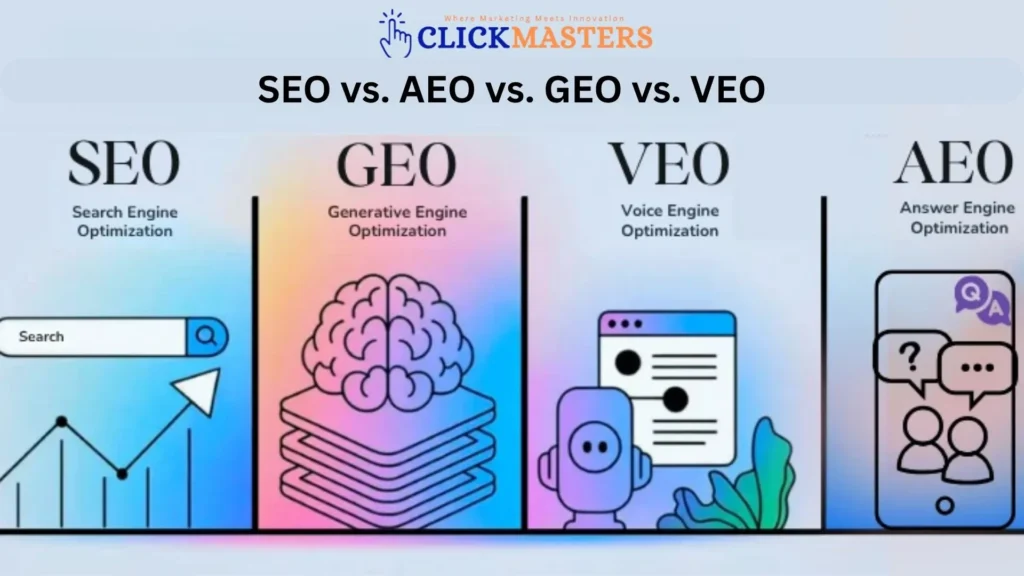
What is Generative Engine Optimization (GEO) and How It Can Boost Your Business in 2026
Think back to how you used Google five years ago. You typed a query, got 10 blue links, and clicked through to the most promising one. That experience still exists — but it’s increasingly becoming a secondary option rather than the default. Today, with AI-generated answers reshaping search, many people get direct responses before even visiting a website. So, what is GEO, and why is it the strategy businesses now need to appear in these AI-powered answers?” Today, when millions of people ask questions online, they’re getting direct answers — not a list of links. Platforms like Google AI Overviews, Perplexity, and ChatGPT synthesize information from multiple sources into clear responses. Our AI development services help businesses leverage this technology, creating intelligent solutions that provide real-time insights and streamline decision-making. This is the new search reality of 2026. And it creates a challenge that traditional SEO alone cannot solve. Ranking #1 on Google is still valuable — but if an AI Overview answers the user’s question before they see your ranking, they may never click at all. The businesses that win in this new landscape are those that optimize to be the source that AI engines cite. That’s what Generative Engine Optimization — GEO — is. And in this guide, we’ll give you the complete picture: what GEO is, why it’s critical right now, how AI engines decide what to cite, and exactly what to do to start appearing in AI-generated answers for your industry. FIRST-MOVER ADVANTAGE GEO is where SEO was in 2012 — most businesses haven’t started, the competition is minimal, and the early adopters are building advantages that will compound for years. The window to gain first-mover advantage in AI search is open right now. It will not stay open much longer. The Scale of AI Search in 2026: Why This Matters Urgently 28%of users get an answer from AI without clicking any link Perplexity100M+monthly queries processed (Q4 2025) ChatGPT Search600M+monthly active users (OpenAI, Jan 2026) 28%of users get answer from AI without clicking any link 3.7xhigher engagement rate for AI-cited content vs uncited 2026Year GEO becomes a standard SEO deliverable Sources: SparkToro Zero-Click Study 2025, Semrush AI Overview Report Q4 2025, OpenAI user statistics January 2026, Clickmasters internal GEO tracking data What Exactly is Generative Engine Optimization (GEO)? Generative Engine Optimization is the practice of structuring, writing, and publishing content in ways that maximize the probability of AI-powered search engines selecting, citing, and featuring it in their generated responses. It’s the discipline of making your content the source that AI engines trust enough to quote when answering questions in your domain. The term was formally introduced in a Princeton University research paper (‘GEO: Generative Engine Optimization,’ 2024) that demonstrated 40-115% increases in content visibility within AI-generated answers through specific content restructuring techniques. Since then, it has rapidly evolved from an academic concept into a practical marketing discipline with measurable business impact. GEO vs Traditional SEO: How They Differ GEO and SEO share many foundations — quality content, authoritative backlinks, and technical site health. But they diverge significantly in how they think about the reader: Dimension Traditional SEO GEO (AI Search Optimization) Primary Reader Human user who clicks through to your page Backlinks, keywords, technical health, and UX signals Success Metric Ranking position, click-through rate, organic traffic Be the source the AI cites; build brand authority in the AI space Content Goal Rank on page 1; get the click Be the source the AI cites; build brand authority in AI space Key Signals Backlinks, keywords, technical health, UX signals Content structure, citation-readiness, specificity, EEAT signals Keyword Focus Target keywords humans type into search Natural language questions and direct-answer phrasing Content Format Long-form guides optimized for scannable reading Combination of direct-answer paragraphs AND deep supporting detail Data Importance Important for backlink earning and authority Critical — AI engines prioritize citable, specific statistics Measurement Tools Google Search Console, Ahrefs, Semrush Perplexity tracking, AI Overview monitoring, brand mention tools Time to Results 3-12 months for significant impact 4-12 weeks for initial citation appearances Relationship with SEO Standalone discipline Extends and builds on SEO — not a replacement The critical insight is this: SEO tells you how to get humans to find and click on your content. GEO tells you how to get AI engines to select your content as the answer. In 2026, you need both — because search is now split between human-first browsing and AI-first answer retrieval. How AI Search Engines Decide What to Cite Understanding the citation selection process is the foundation of effective GEO. AI search engines don’t rank pages the way Google does — they retrieve relevant content, evaluate it for trustworthiness and relevance, extract specific passages, and synthesize a response. The selection criteria are distinct from traditional search ranking signals, though they overlap in important ways. The AI Citation Decision Process (Simplified) 1. Query Analysis: The AI engine interprets the search query using natural language understanding — identifying intent, context, and the specific information type requested (definition, comparison, step-by-step, data point, opinion). Our AI Integrations ensure these insights connect seamlessly with your business systems for smarter, automated workflows. 2. Retrieval: The engine searches indexed web content for pages likely to contain relevant information. This is similar to traditional search, and traditional SEO signals (authority, relevance, technical health) still influence which pages are retrieved. 3. Passage Extraction: The AI identifies specific passages within retrieved pages that best answer the query. This is where GEO diverges from SEO — a well-structured, directly answering paragraph has a far higher extraction probability than vague, context-dependent text. 4. Quality Scoring: Extracted passages are evaluated for: specificity (does it give concrete information?), authority (is the source credible?), freshness (is the information current?), and completeness (does it fully answer the question?). 5. Synthesis & Citation: The AI synthesizes extracted passages from multiple sources into a coherent answer and cites the sources it drew from. Pages cited gain a backlink, a brand mention, and a trust signal that compounds over time.