Blog

Your blog category

on page seo
Blog

How Content Length Impacts On Page SEO Rankings

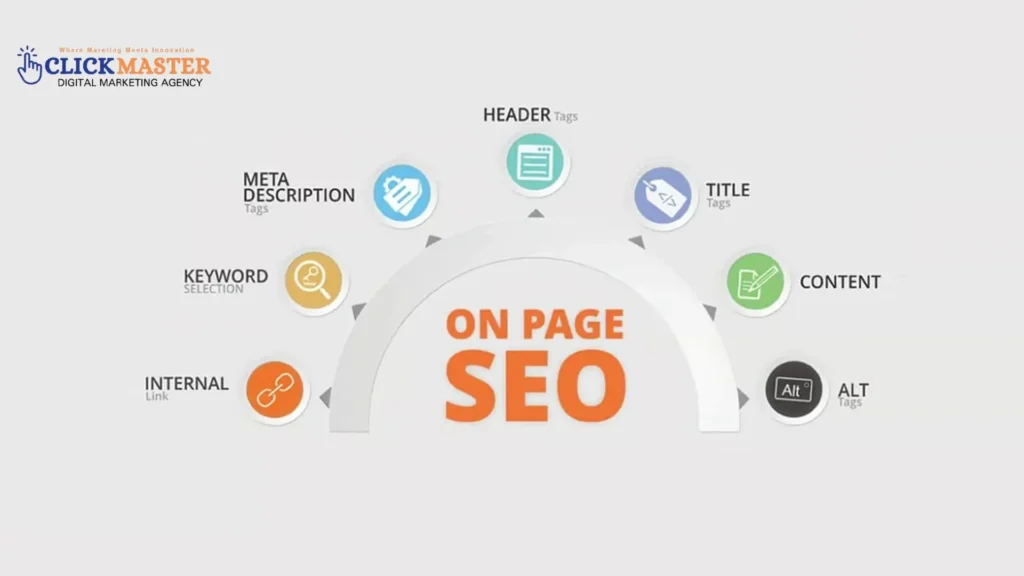
In the SEO world, many factors determine how well a web page ranks on search engines. Among these, content length plays a significant role in on-page SEO rankings. But does the length of your content directly influence how well your page performs? Or does the quality of content take precedence over its word count? In this blog, we’ll explore the relationship between content length and On Page SEO, helping you understand how to optimize your content for better rankings. While longer content may give you more opportunities to rank for a wider range of keywords, it’s the relevance and value to the user that truly drives performance. A balance between keyword optimization and user-focused content is essential for ranking higher. Also, search engines like Google tend to favor content that thoroughly answers search queries, regardless of length. Therefore, focusing on satisfying user intent should always be a priority. What is On Page SEO? Before delving into the role of content length, let’s first define On Page SEO. On Page, SEO refers to the various elements on your webpage that you can optimize to improve your search engine rankings. These elements are crucial because they directly communicate your page’s relevance to search engines. Some key On Page SEO factors include: The Connection Between Content-Length and SEO Rankings SEO experts generally agree that longer content tends to perform better in search rankings. However, the relationship is more complex than simply increasing word count. Content length is most beneficial when it enables you to provide more in-depth, relevant, and valuable information. SEO Relevance of Content-Length: Search engines, like Google, aim to deliver the most relevant results to users. Longer content allows you to: However, length alone won’t guarantee high rankings. Quality remains crucial. Search engines favor content that is comprehensive, well-researched, and engaging. How Does Content Length Influence User Engagement? One key metric for On-Page SEO rankings is user engagement, which is often a major focus of professional SEO services. Longer content typically keeps users on the page longer, leading to better engagement metrics like time on the page and a reduced bounce rate. These signals tell Google your content is valuable and relevant, which can positively influence your rankings. As part of effective SEO services, content length should be carefully planned based on user intent and topic depth. However, shorter content can also rank well for niche topics or specific queries. The length of your content should align with the search intent behind the query. For example, a 500–800 word post may suffice for particular queries, while more complex topics may require 2,500+ words to fully address the subject and maximize the impact of your SEO services strategy. Competitor Analysis: Insights into Content-Length Analyzing the top-ranking pages for your keywords helps you understand how content length affects On Page SEO. Tools like Ahrefs or SEMrush can provide data on the average word count for the top 10 results.Competitor Strategy:When you analyze your competitors, consider the following: Best Practices for Optimizing Content Length for SEO To optimize your content length for SEO, follow these best practices: Using On Page SEO Tools to Track Performance Once you’ve optimized your content length and structure, you should measure its impact. Tools like Google Analytics, SEMrush, and Ahrefs can help you track your content’s performance and make data-driven decisions. Key metrics to track: An On Page SEO tool can help you identify areas for improvement and ensure that your content meets SEO best practices. The Role of Off Page SEO While On Page SEO is essential, it’s also vital to consider off-page SEO factors, which involve actions outside your website that impact its search engine rankings. These include backlink building, social media engagement, and brand mentions. Both On Page SEO and Off Page SEO work together to improve your overall rankings. Understanding the difference between On Page SEO and Off Page SEO is crucial for creating a holistic SEO strategy. On Page SEO focuses on optimizing your website’s content, structure, and technical elements, while Off Page SEO involves strategies like link-building and social signals. Common Mistakes to Avoid in Content Creation When optimizing content length for SEO, avoid these common mistakes: Conclusion Content length is an essential factor in On Page SEO rankings, but it’s not the only consideration. Length should be balanced with quality, engagement, and relevance. Long-form content ranks well because it can cover in-depth topics and meet users’ search intent. However, shorter content can be equally effective for specific queries. To succeed in SEO, focus on creating valuable, comprehensive content that aligns with user intent. Use the insights from On Page SEO checkers and SEO tools to refine your strategy and track your performance. By optimizing your content length and following best practices, you can improve your rankings and drive more organic traffic. FAQs Does content length affect SEO rankings? Yes, content length can impact SEO rankings as longer, well-structured content often provides more valuable information. However, search engines prioritize quality, relevance, and user experience over simply meeting a word count. Focus on delivering useful, engaging content that satisfies search intent. What’s the difference between On Page SEO and Off Page SEO? On Page, SEO focuses on optimizing elements within your website, like content, meta tags, and internal linking. Off Page SEO involves actions outside your site, such as backlinks, social media presence, and brand mentions. Both aim to improve search engine rankings but through different strategies. Can I use a content-length tool for SEO? Yes, content-length tools can help optimize SEO by ensuring your content is of an appropriate length for search engine algorithms. They can guide you in creating detailed and comprehensive content without excessive fluff. However, focus on quality, relevance, and user engagement over merely meeting a length target. How often should I update my content for SEO? You should update your content regularly to keep it fresh and relevant, ideally every 6-12 months. Updating content helps improve its accuracy and user engagement, signaling to search engines that your site

top it companies in pakistan
Blog

Top IT Companies in Pakistan

The world is becoming more interconnected through the power of technology, and IT companies play a crucial role in driving this change. In Pakistan, the IT industry is rapidly evolving, and numerous companies are contributing to the country’s technological advancements. If you are looking for the top IT companies in Pakistan, this blog will introduce you to some of the leading names in the field. We will discuss the solutions these companies offer, their market significance, and how they impact cities like Islamabad, Lahore, and Karachi. So, whether you’re a business owner looking for an IT solutions Company or an individual interested in a tech career, this list will give you an insight into the best IT companies in Pakistan. Top IT Companies in Pakistan Top IT Companies in Pakistan play a key role in the country’s digital growth, offering services like software development, IT consulting, and digital marketing. Many IT companies in Islamabad, Lahore, and Karachi are known for providing IT solutions that meet global standards. Whether you’re looking for IT companies near me or seeking the best in the industry, these firms continue to lead with innovative technology solutions. ClickMasters: Leading It companies in Islamabad When it comes to IT companies in Pakistan, ClickMasters digital marketing agency in pakistan stands out as one of the top IT companies in Islamabad. Known for its exceptional services and focus on digital marketing and software development, ClickMasters is recognized as one of the big IT companies in Pakistan. The company has been catering to various business sectors by offering custom software solutions, digital marketing strategies, YouTube Ads, and web development services. ClickMasters is a prime example of how IT companies in Pakistan contribute to businesses’ digital transformation. With a client-focused approach and innovative solutions, ClickMasters has built a reputation for delivering top-notch services. The company’s website showcases a portfolio of successful projects, demonstrating its expertise in handling diverse client needs. It is a go-to choice for those searching for IT companies near me. Arpatech: Top tech companies in Pakistan Arpatech is another top IT company in Pakistan. For years, it has served clients globally. With expertise in web development, mobile app development, and enterprise solutions, Arpatech is a leader in the IT sector. The company’s focus on delivering cutting-edge technology solutions has helped numerous businesses enhance their operations and streamline their processes. Arpatech’s services are available to clients in various sectors, including e-commerce, healthcare, education, and finance. Whether you need custom software development or digital marketing services, Arpatech’s team of professionals can provide tailored solutions. As one of the best IT companies in Pakistan, Arpatech is also known as one of the prominent IT companies in Karachi, making it a top choice for those searching for IT companies near me. TRG Pakistan: A Global It Companies in Lahore TRG Pakistan is one of the big IT companies in Pakistan that has established a global presence. As a leading provider of business process outsourcing (BPO) and IT solutions, TRG Pakistan offers various services, including software development, customer support, and IT consulting. The company has a strong track record of working with top global clients, making it a prominent name in the IT industry. With its head office in Karachi, TRG is one of the top IT companies in Karachi. It provides cutting-edge solutions that help businesses optimize operations and improve customer experiences. Whether you are looking for enterprise IT solutions or cloud computing services, TRG Pakistan offers many solutions to meet your business requirements. TRG is recognized as one of the best companies in Karachi and continues to be a leader among the top companies in Karachi, Pakistan. 10Pearls: Innovation at Its Best Another top IT company in Pakistan is 10Pearls, a global software development company that creates innovative solutions for businesses worldwide. With expertise in mobile app development, UX/UI design, and cloud services, 10Pearls is one of the top IT companies in Islamabad, offering a broad range of services to businesses of all sizes. The company’s diverse portfolio includes projects from healthcare, retail, and finance industries. 10Pearls Islamabad has gained recognition for its ability to deliver customized, high-quality software solutions that drive business growth. With offices in multiple countries, 10Pearls continues to be a major player in the IT industry and one of the leading IT companies in Islamabad. NetSol Technologies: Driving Change in the IT Landscape NetSol Technologies is one of the largest IT companies in Pakistan, and it is known for its expertise in providing software solutions to businesses worldwide. Headquartered in Lahore, NetSol Technologies specializes in software development, system integration, and IT consulting. Its innovative solutions help businesses in various industries, including finance, insurance, and healthcare, stay ahead of the competition. NetSol has established itself as one of the leading IT companies in Lahore, with a strong presence in international markets. By focusing on quality, innovation, and customer satisfaction, NetSol continues to offer cutting-edge technology solutions to clients worldwide. Systems Limited: Excellence in IT Services Systems Limited is a globally recognized IT company based in Pakistan. It is a leader in IT consulting, custom software development, and cloud services. Systems Limited’s strong presence in local and international markets serves retail, banking, and manufacturing clients. The company has built a solid reputation for its expertise in business intelligence and digital transformation services. With offices in Lahore and Karachi, Systems Limited is one of the top IT companies in the region. It delivers tailor-made IT solutions that help businesses achieve their goals. The company’s dedication to innovation, client success, and continuous improvement makes it one of the best in Pakistan. Other Notable IT Companies in Pakistan While the companies listed above are among the top IT companies in Pakistan, several other IT companies have made significant contributions to the industry. Some of these companies include: Techlogix is a well-known IT company in Pakistan that specializes in software development, IT consulting, and cloud services. Creative Chaos: Offering digital transformation solutions, Creative Chaos provides services in software development, UX/UI design, and mobile app development. Viftech

mobile-friendliness
Blog

How does mobile-friendliness affect technical SEO

In today’s digital world, technical SEO plays a pivotal role in improving a website’s visibility and functionality for search engines. Among the various elements of technical SEO, mobile-friendliness stands out as a fundamental aspect, especially as mobile devices now account for the majority of internet traffic. Optimizing websites for mobile devices has become a core component of professional SEO services, helping businesses improve both search performance and user experience. Mobile optimization is critical for SEO success and user satisfaction, ensuring visitors can easily navigate and interact with your website across all devices. This guide delves into the importance of mobile-friendliness in technical SEO, exploring its benefits, key elements, and how businesses can leverage mobile optimization and expert SEO services for better search rankings, increased traffic, and stronger user engagement. Importance of Mobile-Friendliness in Search Rankings A mobile-friendly website not only enhances user experience but also significantly impacts search rankings. Since Google’s mobile-first indexing prioritizes sites optimized for mobile, it ranks mobile-friendly sites higher in search results. Studies show that users who experience smooth navigation and fast load times on mobile are more likely to stay longer, thus improving engagement metrics like bounce rate and session duration. These user behaviors positively affect rankings, making mobile-friendliness essential for SEO. Key Elements of Mobile-Friendliness in Technical SEO Achieving mobile-friendliness involves optimizing several key aspects to ensure a smooth experience across all devices. Below are the most critical elements: 1. Responsive Design Responsive design enables websites to adjust seamlessly across different screen sizes, providing a consistent experience for desktop, tablet, and mobile users. A well-implemented responsive design boosts SEO performance, as search engines favor sites that are accessible and visually appealing on mobile. 2. Page Load Speed Mobile users expect fast loading times; slow pages often lead to high bounce rates. To enhance speed on mobile devices, consider compressing images, reducing code, and choosing a fast hosting provider. Each of these elements is crucial for improving the mobile user experience and, consequently, SEO performance. 3. User Experience (UX) A mobile-friendly site prioritizes easy navigation, readable text, and interactive features that engage users. Clear menus, readable font sizes, and seamless interactions make for a better UX, encouraging visitors to stay longer and explore the site, positively impacting SEO. 4. Mobile-Friendly Content Structure Organizing content for mobile consumption is vital for usability and SEO. Use headers, bullet points, and short paragraphs to make the content easy to read on smaller screens. Optimized images and videos enhance accessibility and reduce load times, contributing to a better user experience. Competitor Analysis Process Competitor analysis is essential for understanding mobile-friendliness strategies that top-ranking websites use. Here’s a breakdown of the process: Identifying Top Competitors To get started, identify the top 10 competitors in mobile SEO by looking at keywords like “mobile-friendly design” or “SEO for mobile.” Tools such as SEMrush or Ahrefs help analyze competitors’ domain authority, traffic, and keyword performance, enabling you to focus on the most relevant and high-ranking websites. Keyword Extraction Once you’ve identified competitors, analyze the specific keywords they rank for, especially high-volume terms related to mobile optimization. Tools like Ahrefs or Moz can reveal keywords that drive traffic to competitors’ sites, such as “mobile-first indexing” or “responsive website design.” These insights help you identify important keywords and align your content with what users are actively searching for. Content Gaps and Unique Angles Evaluating competitor content structure, navigation, and keywords can reveal gaps or opportunities. For instance, if a competitor focuses heavily on mobile speed but lacks tips on reducing mobile load times, you could address this gap by offering more detailed insights or interactive tools. This approach not only makes your content more unique but also positions it as a valuable resource in mobile SEO. High-Impact Keywords for Mobile-Friendliness and Technical SEO Selecting high-impact keywords is essential for boosting visibility and attracting a larger audience. Through competitor analysis, you can identify valuable keywords, such as “mobile-friendly SEO tips” and “how to improve mobile SEO,” which often perform well in searches. By choosing relevant keywords focused on mobile optimization, you increase your chances of ranking higher in mobile searches and establishing your site as an authority in the space. Benefits of Mobile Optimization for SEO Performance Mobile optimization directly and indirectly enhances SEO performance: Direct Benefits Mobile-optimized websites rank higher in search engine results due to superior user experiences. Sites optimized for mobile load faster, retain visitors better, and experience lower bounce rates, leading to improved SEO metrics. Indirect Benefits Beyond search rankings, a seamless mobile experience boosts brand credibility. When users trust a website’s functionality on mobile, they engage more with its content, leading to higher conversion rates. An easy-to-navigate mobile site encourages users to make purchases, sign up for newsletters, or explore additional content, driving overall business growth. Key Techniques for Improving Mobile Optimization Achieving a mobile-friendly site requires implementing specific techniques that directly influence SEO. Here are some of the most effective methods: Accelerated Mobile Pages (AMP) AMP enables faster, mobile-optimized pages by eliminating unnecessary elements, allowing pages to load quickly on mobile devices. AMP also meets Google’s speed requirements, boosting user experience and search rankings. Optimizing Images and Videos Compressed images and videos are essential for reducing mobile load times. Responsive images that adjust to screen sizes make content accessible across devices, ensuring a smooth mobile experience. Clean Code and Fewer Redirects Eliminating unnecessary code and redirects minimizes load times, allowing users to reach content faster. Clean code improves site structure, benefiting both UX and SEO. Regular Mobile Compatibility Testing Using tools like Google’s Mobile-Friendly Test and Page Speed Insights helps identify and resolve mobile performance issues. Regular testing ensures your site meets mobile usability standards and performs optimally. Common Mistakes in Mobile Optimization and How to Avoid Them Despite best practices, several common mistakes can hinder mobile optimization. Here’s a look at these pitfalls and ways to avoid them: 1. Oversized Images Large, uncompressed images slow down load times, frustrating mobile users. Unoptimized images can also consume data, affecting

Technical seo issues
Blog

Top Technical SEO Issues and How to Fix Them

Technical SEO is essential for a website’s ranking in search engines and forms a key part of professional SEO services. It focuses on optimizing technical elements that help search engines efficiently crawl, index, and understand website content. As part of effective SEO services, fixing technical issues is vital for improving user experience, enhancing website performance, and increasing search engine visibility. A strong technical SEO foundation ensures that your website can achieve better rankings and deliver a seamless experience for visitors. Top Technical SEO issues 1. Crawl Errors Crawl errors occur when search engine bots cannot access certain pages on your site. This can prevent these pages from being indexed, which ultimately affects your site’s visibility in search results. Common Issues Server Errors: These occur when the server hosting your website is down. DNS Issues: Domain Name System problems can prevent access to your site. Robots.txt Blocking: A misconfigured robots.txt file can mistakenly block search engines from crawling certain pages. Fix To identify crawl errors, use Google Search Console. This tool allows you to see any errors that occur when Google tries to crawl your site. If you discover issues like server downtime, rectify them promptly. Additionally, ensure your robots.txt file is correctly configured to allow search engines to access the pages you want indexed. 2. Slow Page Speed Page speed is a critical factor for both user satisfaction and search rankings. Slow loading times can lead to high bounce rates and low engagement, as users are likely to leave if a page takes too long to load. Importance Google considers page speed as a ranking factor, particularly affecting Core Web Vitals metrics like Largest Contentful Paint (LCP). Fix To improve page speed, consider the following actions: Compress Images: Reduce image file sizes without sacrificing quality. Minify CSS/JavaScript: Remove unnecessary characters from your code to make it smaller. Leverage Browser Caching: Allow browsers to store certain data, speeding up load times for returning visitors. Tools like Google PageSpeed Insights can provide actionable recommendations for enhancing your site’s loading speed. 3. Mobile Usability Issues With Google’s shift to mobile-first indexing, ensuring your website is mobile-friendly is paramount. A site that is not optimized for mobile devices can lead to a poor user experience. Common Issues Content Wider Than Screen: This makes it hard for users to view your content without zooming. Touch Elements Too Close: Users may struggle to click the correct button if they are too close together. Text Too Small to Read: If your text is too small, users will find it challenging to read your content. Fix Implement a responsive design that adapts your website layout to fit different screen sizes. This approach ensures that your website is optimized for both desktop and mobile users. 4. Duplicate Content Duplicate content can confuse search engines and dilute the value of your pages, leading to lower rankings. Common Issues URL Variations: Different URLs pointing to the same content. HTTP/HTTPS Conflicts: Having both secure and non-secure versions of the same page. www/non-www Versions: Pages accessible through both formats can lead to duplication. Fix Utilize canonical tags to indicate the preferred version of a page. Additionally, use 301 redirects to guide users and search engines to the correct version, eliminating multiple instances of the same content. 5. Broken Links Broken links negatively impact both user experience and SEO health. They can lead to frustration for users and create barriers for search engines trying to crawl your site. Common Issues Links that lead to non-existent pages can trigger 404 errors, which signify a broken link. Fix Regularly audit your site for broken links using tools like Screaming Frog or Ahrefs. When you find broken links, implement 301 redirects to redirect users to the correct or relevant pages. 6. Indexing Issues If your pages are not indexed, they won’t appear in search results, significantly impacting their visibility. Common Issues Pages Blocked by Robots.txt: Preventing access to certain pages. Noindex Tags: Pages marked as “noindex” will not be indexed by search engines. Low-Quality Content: Poor content can lead to de-indexing. Fix Submit an XML sitemap to Google Search Console to guide search engines through your site structure. Ensure that noindex tags are removed from pages you want indexed, and focus on creating high-quality content for all indexed pages. 7. Structured Data Errors Structured data helps search engines understand your content better, enhancing visibility through rich snippets in search results. Common Issues Missing or incorrect structured data can prevent rich results from appearing, diminishing your search visibility. Fix Use Google’s Structured Data Testing Tool to identify and fix errors in your structured data. Ensure that schema markup is correctly implemented for reviews, FAQs, products, and other relevant elements. 8. Improper Redirects Improper use of redirects, such as using 302 (temporary) instead of 301 (permanent) redirects, can mislead search engines. Common Issues Temporary redirects may not pass the same link equity as permanent ones, impacting your SEO value. Fix Ensure you implement 301 redirects for any content that has been permanently moved. This will help maintain the link equity and SEO value of the page. 9. HTTPS Security Issues Having HTTPS is vital not just for security but also for maintaining a good ranking in search engines. A lack of encryption can hurt your rankings and diminish user trust. Common Issues Mixed content, where some pages have HTTP elements, or expired SSL certificates can lead to security warnings. Fix Ensure all pages use HTTPS and resolve any mixed content warnings. Regularly renew your SSL certificates to maintain a secure site. 10. Poor URL Structure A poorly structured URL can lead to confusion for users and search engines alike. Common Issues Long, messy, or non-descriptive URLs can diminish user trust and understanding of the content. Fix Use clean, descriptive, and short URLs. Follow best practices by including relevant keywords and using hyphens instead of underscores to separate words. 11.Orphan Pages Orphan pages are those that are not linked to from any other page on your site. This can

website speed
Blog

How does site speed impact technical SEO?

Site speed plays a vital role in SEO services, directly affecting user experience and search engine rankings. In technical SEO, improving site speed is essential for better performance, especially with Google’s Core Web Vitals being a key ranking factor. Faster load times lead to improved rankings and a better user experience. What is Site Speed? Site speed is the average time it takes for a website’s pages to load, impacting user experience and search engine rankings. While site speed measures overall performance, page speed refers to individual page load times. Fast loading times are important because slow speeds can cause users to leave, hurting rankings and user engagement. The Importance of Site Speed in Technical SEO In the world of technical SEO, site speed holds immense importance. Search engines, particularly Google, consider a website’s speed as one of the most critical factors in determining its ranking. A slow-loading website can suffer from poor SEO performance, meaning that search engines might struggle to crawl and index its pages properly. This leads to lower rankings and reduced visibility. Moreover, site speed is directly linked to Core Web Vitals, which are user experience metrics that measure aspects like loading performance, interactivity, and visual stability. These metrics include:   Largest Contentful Paint (LCP) Largest Contentful Paint (LCP) measures the time it takes for the largest content element on your webpage, like a big image or a prominent block of text, to load. This metric is crucial because it affects how users perceive the speed of your site. When LCP is quick, users see content almost immediately, leading to a positive experience. Ideally, LCP should occur within 2.5 seconds. If it takes longer, users may get frustrated and leave your site, negatively impacting engagement and increasing bounce rates. Optimizing for a better LCP means ensuring that your biggest content loads swiftly, improving overall site speed and user satisfaction. First Input Delay (FID) First Input Delay (FID) measures how quickly your website responds when a user tries to interact with it, such as clicking a button or entering information. A low FID indicates that your site is responsive and interactive, which is essential for a good user experience. If FID is more than 100 milliseconds, users might think your site is slow or unresponsive, which can be frustrating. When you optimize for a better FID, you make sure that users can interact with your site quickly and easily, enhancing their experience and potentially increasing conversion rates. Fast response times are vital in today’s fast-paced digital world. Cumulative Layout Shift (CLS) Cumulative Layout Shift (CLS) measures the visual stability of your webpage as it loads. This metric ensures that elements on the page, like images or buttons, don’t unexpectedly move around while the content is loading. A high CLS can lead to a poor user experience because it can cause users to click on the wrong item due to shifts. Keeping your CLS low means that users will see a stable layout, making it easier for them to navigate your site without confusion. Google recommends a CLS score of less than 0.1 to provide a smooth visual experience. Optimizing for a low CLS ensures that your site loads steadily, enhancing user engagement and satisfaction. When a site performs well across these three metrics, it’s likely to rank higher in search engine results, improving SEO performance and ensuring a better user experience. How Google’s Algorithm Prioritizes Site Speed In May 2021, Google rolled out the Page Experience Update, which puts a significant emphasis on how quickly websites load and how they perform in terms of user experience. This update integrates Core Web Vitals into Google’s ranking criteria, meaning that site speed and overall user experience have a direct impact on a website’s SEO. Google’s algorithm gives preference to websites that offer a smooth, fast, and engaging experience for users. Websites that fail to meet these requirements may experience lower rankings, even if they have high-quality content. This is because Google wants to deliver the best possible experience to users by showing them websites that are both relevant and fast. Key Factors Affecting Site Speed and Technical SEO Several factors can affect a website’s speed, and by addressing these, you can significantly improve your website’s technical SEO and overall performance. Here are the key factors that influence site speed: Server Response Time Server response time refers to the amount of time it takes for a web server to respond to a request from a user’s browser. If the server takes too long to respond, it slows down the entire page load time. Ideally, the server should respond in less than 200 milliseconds. A slow server response time not only affects user experience but can also negatively impact SEO. Investing in a high-quality hosting provider with fast servers can improve server response times and ensure better site speed. File Size Optimization One of the biggest culprits of slow site speeds is large, unoptimized files. This includes heavy images, bulky CSS, JavaScript, and other media elements. Compressing these files can significantly reduce the size and speed up the loading process. Tools like Tiny PNG or Image Optimization can compress images without compromising their quality. Similarly, you can minify CSS and JavaScript files to remove unnecessary characters, spaces, and lines, making them more lightweight and faster to load. Caching Caching refers to storing copies of your web pages in a user’s browser, allowing the browser to load these cached versions faster when the user visits again. Browser caching can significantly reduce load times, especially for repeat visitors, as the site doesn’t have to reload every time. Proper caching strategies can greatly enhance site speed and improve SEO rankings, particularly when targeting users who frequently revisit the site. Content Delivery Network (CDN) A Content Delivery Network (CDN) is a network of servers that are distributed globally to serve content to users from the server closest to their geographical location. This ensures that users from different parts of the world can access your website

technical seo audit
Blog

What is technical SEO, and why is it important?

In today’s online world, just having a good-looking website with great content isn’t enough. To reach more people and get featured in search results, you need to build a strong technical foundation for your website. This is where technical SEO comes in. Technical SEO means optimizing your website’s structure, speed, and code so that search engines can easily find and understand your content. Treat your website as a well-oiled machine: Technical SEO helps it run smoothly for both users and search engines. By integrating on-page SEO strategies and leveraging expert SEO services, you can ensure your site ranks higher and attracts more visitors. What is Technical SEO? Technical SEO is the process of improving the technical aspects of your website to improve its visibility in search engine results. This includes making changes to elements such as the sitemap, website architecture, page speed, and URL structure. By ensuring that search engines can easily crawl and index your site, technical SEO increases the chances of your web pages ranking higher. Why is Technical SEO Important? Technical SEO is very important because it ensures that search engines like Google can easily access, crawl and understand your website. If your pages are not properly optimized for technical SEO, no matter how good your content is, search engines will struggle to rank it or find it at all. Here are some more reasons why technical SEO is important for your website: Better Crawling and Indexing Search engines use bots to explore and index websites. Good technical SEO helps these bots find and categorize your pages, ensuring they appear in search results. Faster Website Speed A quick-loading website keeps visitors happy. If your site takes too long to load, people will leave. Google rewards faster websites with higher rankings. Mobile Optimization Most people browse on mobile devices today. Google uses the mobile version of your website to rank it. So, having a mobile-friendly design is crucial for your ranking. Website Security (SSL) Security is vital. Websites with SSL (HTTPS) encryption are trusted more by users and search engines, which can lead to better rankings. Using Structured Data Structured data helps search engines understand your content better. This can lead to rich snippets in search results, which can attract more clicks. Avoiding Duplicate Content Having duplicate content can confuse search engines. Canonical tags help indicate which version of a page should be ranked, preventing penalties. Key Elements of Technical SEO Technical SEO focuses on optimizing your website’s infrastructure to make it easier for search engines to crawl, index, and rank your content. Below are the key components that make up technical SEO: Crawlability Crawlability refers to how easily search engines can navigate through your website. If search engines can’t crawl your site, they won’t index your pages, making it hard for users to find you online. Ensuring proper crawlability helps search engines understand and rank your content. Indexation Indexation ensures that your website pages are stored and ranked by search engines. Proper indexation means that all relevant content is accessible to search engines, helping users find the information they need. Performance Website performance impacts both user experience and search engine rankings. A well-optimized site will load quickly, work smoothly, and keep visitors engaged, leading to better search rankings and reduced bounce rates. Page Speed Optimization Page speed is crucial because users expect websites to load quickly. Optimizing images, reducing file sizes, and minimizing server requests can help your pages load faster, improving user satisfaction and search engine rankings. Mobile Optimization With more people using mobile devices, your website must be mobile-friendly. Mobile optimization ensures that your site looks good and functions well on smaller screens, which is important for both users and search engines like Google. Website Architecture The structure of your website is important for both users and search engines. A well-organized site with clear navigation makes it easy for visitors to find what they’re looking for, while search engines can better understand and rank your pages. SEO-friendly URL Structure An SEO-friendly URL is short, descriptive, and easy to read. It helps users and search engines understand what a page is about, improving the chances of ranking higher in search results. Internal Linking Structure Internal links connect pages within your website. They help search engines find and index content, and they guide users to other relevant pages, improving the overall experience and boosting your SEO efforts. Robots.txt and XML Sitemaps The robots.txt file tells search engines which pages to crawl or ignore, while XML sitemaps provide a roadmap of your website. Together, they ensure that search engines can navigate your site efficiently, improving its visibility in search results. Meta Tags and Canonical Tags Meta tags provide search engines with important information about your website’s content. Canonical tags help prevent duplicate content issues by indicating the preferred version of a webpage, improving search engine rankings. Hreflang Tags Hreflang tags tell search engines which language version of a page to show users based on their location. This is useful for websites with content in multiple languages, ensuring users see the correct version. Redirects and 404 Pages Redirects guide users and search engines from old or broken pages to new ones. A 404 page lets users know when content is missing, but it’s better to redirect them to a relevant page to avoid losing visitors. Structured Data and Schema Markup Structured data helps search engines understand your content better by providing extra information. Using schema markup can enhance your listing in search results, making it more likely that users will click on your link. Fixing Broken Links Broken links lead to missing pages, frustrating users and search engines. Regularly checking and fixing broken links helps improve the user experience and ensures search engines can access all your content. Image Optimization Optimizing images involves reducing their size without sacrificing quality. This helps your pages load faster, improving both user experience and search engine rankings. JavaScript and SEO JavaScript can add dynamic features to your site, but it can also

structure data
Blog

What is structured data, and why does it matter for SEO?

Structured data is a key part of modern SEO that helps search engines understand and display your web content. Using Structured Markup, you can give context to your website content so search engines like Google can understand and categorize information. This article will cover structured data, its importance in SEO, and how to use it on your site. What is Structured Data? Definition of Structured Data Structured Markup is a standard way of organizing information that makes it easier for search engines to understand and display. This uses specific schemas or data types that clearly define the relationships between different pieces of data. For example, Rich Snippet Markup can help search engines understand that a particular page contains a recipe with ingredients, cooking time, and ratings. Using Structured Markup, you can tell Google and other search engines exactly what your content is about and get better indexing and visibility. Types of Structured Data Website owners can use many types of Structured Markups to boost their SEO. One of the most popular is schema markup, a vocabulary of tags that can be added to HTML to help search engines better understand a web page. Other data types are JSON-LD, microdata, and RDFa, each with its own way of structuring data. For example, Google recommends JSON-LD because of its simplicity and compatibility with existing HTML. Importance of Structured Data in SEO Structured Markup is important for SEO because it helps search engines understand the context and relevance of your content. When search engines know what your content is about, they can display it better in search results and potentially increase organic traffic. Additionally, implementing a Rich Snippet Markup can lead to rich results like featured snippets and knowledge panels, boosting your click-through rate. How Does Structured Data Help Search Engines? Understanding Structured Data for SEO Understanding structured data for SEO is key for anyone looking to improve their website’s search performance. Search engines use Structured Markup to understand the relationships between different elements on a page and can deliver more accurate search results. Using structured data markup, webmasters provide a clear blueprint for search engines to understand what to index and how to categorize the content. This is important because it directly affects how your web page appears in search results. Structured Data Markup and Search Engines Structured data markup is key to how search engines understand and display content. Adding Structured Markup to your web pages gives search engines valuable information that helps them understand your content’s context. This can take many forms, including schema markup and JSON-LD, which both serve the same purpose of helping search engines understand. When search engines like Google get this structured data, they can use it to generate rich snippets, which can boost your content’s visibility in search results. How Structured Data Improves Search Results Semantic Markup helps search engines understand your content better to match user queries with the most relevant results. When search engines can read the information on your page, they can show more relevant results and higher CTR. Rich results generated from Rich Snippet Markup make your listings stand out and get more user clicks. What are Rich Results and How Do They Relate to Structured Data? Definition of Rich Results Rich results are search results that show more information than standard search results. These results often include extra visual elements like images, star ratings or pricing info. Rich results are generated from Semantic Markup, which helps search engines understand the content of a page better. By adding structured data markup, webmasters can increase the chances of their content showing rich results in search engines. Advantages of Rich Results for SEO Rich results have many SEO benefits. First, they get more attention because of their visual format and extra info. That means higher CTR and more traffic to your site. Rich results also help your brand by showing customer reviews and ratings in search results. That builds trust with potential visitors and makes them more likely to engage with your content. Examples of Rich Snippets Examples of rich snippets are various types of content that show users extra info directly in search results. For example, product listings show star ratings, pricing, and availability so users can buy from the search page. Recipe listings show cooking time, ingredient list, and user ratings so users can find the perfect recipe. Event listings can also be shown as rich snippets with dates, locations, and ticket info, which is useful for users looking to attend a specific event. How to Implement Structured Data on Your Website? Getting Started with Structured Data To start with Semantic Markup, you must understand how it works and what data types are relevant to your website content. The first step is to get familiar with schema markup, the format used by search engines like Google. You can visit Schema.org to see all the structured data types and choose the ones that fit your content. Once you have chosen the schema types, the next step is to add structured data markup to your pages. Using JSON-LD for Structured Data Markup JSON-LD is the go-to choice for webmasters because it’s easy and works. JSON-LD stands for JavaScript Object Notation for Linked Data and allows you to put structured data in a separate script tag rather than in your HTML. This makes JSON-LD easier to manage and less error-prone. Google recommends JSON-LD as the preferred format for Rich Snippet Markup, so it’s the obvious choice for any SEO optimization. Structured Data Guidelines and Best Practices Rich Snippet Markup guidelines and best practices are key to making your markup work and compliant with search engine requirements. First and foremost, follow the search engine guidelines (like Google) to avoid any structured data issues. Make sure your Rich Snippet Markup accurately reflects the content on your page and doesn’t mislead search engines or users. Also, use the right schema types for your content to increase your chances of showing rich results. What is Schema Markup,

Right keywords
Blog

How to Choose the Right Keywords for On-Page SEO

Choosing the right keywords is essential for effective on-page SEO. Whether you’re a beginner or an SEO expert, selecting the proper keywords can drive targeted traffic, increase search engine rankings, and improve user experience on your website. But how do you know which keywords to use? Let’s break down the key strategies you can follow to choose the best keywords for on-page SEO. How Do I Know What keywords to Use for SEO? Before selecting keywords, you must understand your audience and the type of search queries they might use to find your content. Research keywords using tools like Google Keyword Planner, Ahrefs, or SEMrush. These platforms show you keywords’ search volume, competition, and relevancy. High-volume and low-competition keywords are ideal for SEO because they are easier to rank while attracting significant traffic. Think about the core topics related to your content. For example, if you have a blog about fitness, words like “workout routines,” “healthy diet tips,” and “beginner fitness guide” might be relevant. Always keep your audience’s intent in mind – ask yourself, “What are they searching for, and how can I answer that?” How to Choose the Best Keywords for SEO? The best keywords for SEO should strike a balance between search volume and competition. Here are a few tips to help you choose: Relevance: Select keywords that are closely related to your content. For example, if you’re writing about on-page SEO, using a keyword like “backlink strategies” wouldn’t be as relevant. Search Volume: Use high-volume keywords that people are actually searching for. A good starting point is to use the right keywords with at least 500 monthly searches. Low Keyword Difficulty (KD): Low-KD keywords are more accessible to rank for, especially if you’re a newer site or targeting a niche market. Look for the Right keywords with a difficulty score under 30. Long-Tail Keywords: These are longer and more specific phrases that people use when they’re closer to making a decision. For example, instead of “SEO,” a long-tail keyword could be “best on-page SEO practices for beginners.” What is the Optimal Use of Keywords on a Page for Google SEO? Once you’ve chosen the right keywords, using them properly across your page is crucial for ranking well in Google search results. Here’s how to effectively use your keywords for on-page SEO: Title Tag: For better relevance, place your primary keyword at the beginning of your title tag, such as “On-Page SEO Strategies for 2024.” Meta Description: While meta descriptions don’t directly impact rankings, including your primary keyword makes the description more relevant and clickable. URL Slug: Your URL should be clean and concise, with your primary keyword included (e.g., “example.com/on-page-seo-guide”). Headings: Use your primary and related keywords in H1, H2, and H3 tags. Make sure your content is structured well with clear headings. Content: Sprinkle your keywords naturally throughout the content. Avoid keyword stuffing and aim for a 1-2% keyword density. Alt Text: Use your keywords in image alt text to help search engines understand the context of the images. How Do I Find SEO Keywords in Page Sources? To find keywords in the page source of a competitor’s website, follow these simple steps: Right-click on the page you want to analyze. Select “View Page Source” or “Inspect.” Search for keywords like “meta keywords” or “title tag” using the Ctrl+F (Windows) or Command+F (Mac) function. Review the content to see how keywords are structured in the page’s metadata, headings, and body content. This gives you insight into how competitors optimize their pages for search engines. How Do I Prioritize SEO Keywords? Prioritizing keywords depends on several factors: relevance, search volume, keyword difficulty, and the competitiveness of your niche. Here’s how to prioritize them: Primary Keywords: These are the most relevant keywords that match your page’s content and have a high search volume. Secondary Keywords: Related or complementary keywords with lower search volume or slightly higher KD are still valuable to your content. Long-Tail Keywords: Prioritize these if you’re in a highly competitive niche, as they are easier to rank for and often convert better. What Are the 4 Types of Keywords in SEO? There are four main types of keywords used in SEO: Short-Tail Keywords: General terms like “SEO” or “fitness.” They have a high search volume but are very competitive. Long-Tail Keywords: Specific phrases, such as “best on-page SEO strategies for small businesses.” Branded Keywords: Keywords that include a brand’s name, like “Nike running shoes.” Non-Branded Keywords: Generic search terms not tied to a brand, such as “best running shoes for beginners.” How Do I Target SEO Keywords? To effectively target SEO keywords, focus on these strategies: Create dedicated pages: for each target keyword. Don’t try to rank one page for multiple unrelated keywords. Optimize your content: using the keywords mentioned earlier (title, meta description, etc.). Build internal and external links: around these keywords to improve authority. How Do I Organize My SEO Keywords? Organizing your SEO keywords involves grouping them by topics or clusters. Here’s how: Create keyword groups: based on similar intent. For instance, keywords like “on-page SEO,” “how to optimize on-page SEO,” and “best practices for on-page SEO” can form a group. Assign keywords: to specific content pieces to avoid overlap and ensure each page targets a unique set of keywords. How Do I Shortlist Keywords for SEO? After generating a long list of potential keywords, use these criteria to narrow it down: Search intent: Does the keyword match what your audience is looking for? Search volume: Prioritize keywords with decent search volume but low competition. Competition: Avoid high-competition keywords if you’re a smaller or newer site. This process ensures that you target the best possible keywords for your SEO strategy. How Do I Find Unique Keywords for SEO? Unique Right keywords can be found using tools like Google Trends, AnswerThePublic or by analyzing forums and niche websites related to your topic. These platforms provide insights into search queries that may not have a high competition yet, giving you a chance to

Schema Markup
Blog

Understanding Schema Markup: Boost Your SEO with Structured Data

What is Schema Markup, and Why is it Important for SEO? 1. Understanding Schema Markup When I got into SEO, I quickly learned about structured data. Schema markup is code you put on your website to help search engines understand your content better. Think of it as a translator between your website and search engines like Google. When I added schema markup to my site, I saw a big difference in how my content appeared in search results. 2. The Importance of Schema Markup for Search Engines Search engines are always changing, and they need all the help they can get to deliver the best results to users. On-page SEO techniques, like schema markup, act as a map, guiding search engines through the details of my content. Using it made my pages more relevant and informative, ultimately achieving higher rankings in search results. 3. How Schema Markup Helps Improve Your SEO Schema markup is not a one-time fix; different content types exist. Articles to products, events to local businesses, schema markup lets you tell search engines what type of content you have. In my case, understanding these types was the key to choosing the right schema for my site. What are the Different Types of Schema Markup? 1. Overview of Schema Types Schema markup isn’t one size fits all; there are different types for different content. You can specify what kind of content you have, from articles to products, events to local businesses. In my experience, understanding these types was key to choosing the right schema for my site. 2. Common Types of Schema Markup for Websites Some common types of schema markup that I’ve utilized include: Article Schema: Perfect for blogs and news sites. Product Schema: Essential for e-commerce websites. Local Business Schema: Great for businesses looking to attract local customers. Event Schema: Useful for promoting events and activities. Each schema type serves a unique purpose, and choosing the right one is crucial for effective SEO. 3. How to Choose the Right Schema Type for Your Content When deciding which schema to use, I ask myself: What story do I want to tell? Knowing my content’s purpose helps me make decisions. For example, if I’m writing about a local restaurant, the local business schema is my first choice. How to Implement Schema Markup on Your Website? 1. Step-by-Step Guide to Adding Schema Markup Putting schema markup on your website might seem hard, but it’s really not., Here’s a step-by-step guide based on my experience: Identify Content Types: Determine which pages will benefit from schema markup. Choose the Right Schema: Select the schema type that fits your content best. Generate the Schema Markup: Use tools like schema.org to generate your markup. Add Markup to Your Page: Insert the generated code into the HTML of your web pages. Test Your Markup: Use Google’s Rich Results Test tool to ensure everything functions correctly. 2. Using Schema Markup Generators for Easy Implementation I also use schema markup generators to make it even easier. These tools help me create the code easily without any complicated stuff. I just fill out a form with my content details and get the schema code to add to my site. 3. Best Practices for Implementing Schema Markup Over time, I’ve learned a few best practices for implementing schema markup effectively: Always use the latest schema vocabulary from schema.org. Keep your markup as simple as possible—avoid unnecessary complexity. Regularly test and validate your schema to catch any errors early.   What Are the Benefits of Using Schema Markup? 1. How Schema Markup Can Boost Your SEO One of the biggest benefits I’ve seen is that schema markup helps my SEO. By giving search engines more context, my content appears in rich snippets, and I get more visibility and traffic. 2. Improving Click-Through Rates with Rich Snippets Rich snippets are like ads for my content in search results. Since I added schema markup, I’ve seen a big increase in click-through rates. People are drawn to listings with rich snippets with star ratings, images or extra info. 3. Enhancing Visibility in Google Search Results Schema markup doesn’t just make my listings look better; it also makes me more visible in Google search results. The more informative and attractive my listings are, the more likely people will click through to my site. How to Test Your Schema Markup? 1. Using Google’s Rich Results Test Tool Once I’ve added schema markup, I always test it. Google’s Rich Results Test tool is super helpful for this. It checks if my markup is eligible for rich results and gives me peace of mind that I’m on the right track. 2. Validating Your Schema Markup with Schema Markup Validator In addition to Google’s tools, I also use the Schema Markup Validator. This tool lets me validate my schema markup and make sure it meets the requirements. It’s important to catch errors early, so I don’t encounter problems later. 3. Common Errors to Avoid While Testing While testing my schema markup, I’ve encountered common errors that are easily avoidable: Missing required properties Incorrectly nested markup Using outdated schema types By avoiding these mistakes, I’ve been able to keep my schema markup accurate.   How Does Schema Markup Impact Google Search Results? 1. Understanding Rich Results in Google Search Rich results are the best outcome of using schema markup. They give users a more engaging and informative search experience. I’ve found that content with rich results stands out in search results and gets more clicks. 2. Schema Markup and Featured Snippets One of the best things about schema markup is its connection to featured snippets. By adding schema to my content, I’ve increased my chances of being in the top spot in search results, which means more visibility. 3. How to Optimize Your Content for Google Search Optimizing for Google Search is more than just adding schema markup. I focus on creating great, relevant content that answers user questions. Schema is the cherry on top that helps

seo
Blog

The Complete Guide to On-Page SEO: How to Optimize a Page Effectively

 Setting up a website is the first thing to do in this online era. If you want people to find your website online, you must master On-Page SEO. This complete guide will walk you through everything you need to know to optimize your pages and get them to rank higher in search results. What is On-Page SEO? Definition of On-Page SEO On-page SEO is the practice of optimizing individual pages on your website to rank higher and get more relevant traffic from search engines. It’s about the content and the HTML code of the page. So, your website needs to be user-friendly and have the right information for your audience. Why is On-Page SEO Important in 2024? As we head into 2024, on-page SEO is becoming more important than ever. With millions of websites competing for attention, you must ensure your site is unique. Optimizing your pages helps search engines understand what your content is about, which can lead to higher rankings. When your pages rank higher, more people will find and visit your site. Key SEO Factors for On-Page Optimization Here are several things to consider when optimizing your pages: Title Tags: The clickable headlines you see in search results. Meta Descriptions: The short summaries below the title in search results. URLs: The addresses of your web pages. Images: Visual elements that can enhance your content but must be optimized for search engines. Understanding these will help you create a better user experience and increase your website’s visibility.   How to Optimize Your Title Tag The title tag is one of the most important parts of On-Page SEO. It tells search engines and users what your page is about. Best Practices for Title Tags Keep it Under 60 Characters: Search engines may cut off longer titles, so keep it short. Make it Descriptive and Relevant: Your title should match the content on the page. Include Your Target Keyword: Placing your main keyword at the beginning will help with ranking. How Title Tags Affect Search Engine Rankings A well-optimized title tag can greatly affect your search engine ranking. More people will click on your page when you use relevant keywords and a catchy title. Examples of Good Title Tags “The Ultimate Guide to On-Page SEO: Optimize Your Content for 2024” “Top 10 On-Page SEO Techniques to Rank Higher in Search Results” “How to Optimize Your Web Pages for Better SEO Performance”   The Role of Meta Descriptions in On-Page SEO Meta descriptions are short summaries of your web page that appear in search results. They help attract visitors to your site. Crafting Effective Meta Descriptions Keep it 150-160 Characters: This is the sweet spot for most search engines. Include Your Target Keyword: This helps search engines understand what your page is about. Make it Compelling: Use action words and phrases to make people click. How Meta Descriptions Impact Click-Through Rates A good meta description will increase your click-through rate (CTR). More people will visit your page when they see your description in search results. Tips for Writing Great Meta Descriptions Ask a Question: Ask a question your content answers. Call to Action: Tell users to take action, e.g., “Learn More” or “Discover Now.” USP: Mention what’s unique about your content.   Structuring URLs for Better SEO A good URL structure is key to On-Page SEO. It helps search engines and humans know what your page is about.   Best Practices for SEO-Friendly URLs Keep it Short and Sweet: Shorter is easier to read and share. Use Hyphens: Not underscores; search engines love hyphens. Include Your Target Keyword: So search engines know what your page is about. How URL Structure Affects Search Engine Rankings Search engines like clean and descriptive URLs. A good URL structure increases your chances of ranking higher. Examples of Good URLs www.yoursite.com/on-page-SEO-guide www.yoursite.com/optimize-meta-descriptions www.yoursite.com/best-practices-for-URLs Essential On-Page SEO Elements To optimize your pages, you need to know the On-Page SEO elements. Understanding Heading Tags and Their Importance Heading tags (H1, H2, H3, etc.) organize your content. H1 is the page’s main title, and H2 and H3 are subheadings that break down the content into chunks. Best Practices for Heading Tags One H1 Tag per Page: The main title should describe your content. H2 and H3 Tags for Subheadings: Your content is structured and easily read. Keywords in Headings: For readability and SEO. Using Internal Links for Better On-Site SEO Internal links connect different pages of your website. They help users navigate your site and show search engines how your pages are related to each other. Tips for Effective Internal Linking Link to Relevant Content: The pages you link to should be related to the content. Use Descriptive Anchor Text: So users know what to expect when they click. Limit the Number of Links: Too many links can be overwhelming and may dilute the effect. Optimizing Images With Alt Text and File Names Using alt text for images helps search engines know what the image is about. Make sure to use descriptive file names that include your target keyword. Best Practices for Image Optimization Descriptive File Names: Instead of “IMG1234.jpg,” use “on-page-seo-guide.jpg.” Alt Text: Describe the image and include your target keyword when possible. Compress Images: Reduce file size without losing quality to improve page load time.   Improving Page Speed for Better SEO Page speed is a key to On-Page SEO. If your page takes too long to load, visitors will leave. Factors Affecting Page Speed Large Image Files: High-resolution images can slow down your site. Too Many Scripts: Too many scripts can delay load time. Poor Hosting: A slow server can hurt page speed. Tools to Measure Page Speed Use tools like Google PageSpeed Insights to test your site’s speed and get tips to improve. Best Practices for Optimizing Page Load Times Compress Images: Use tools to reduce image size without losing quality. Minimize Scripts: Only include necessary scripts to speed up. Choose a Good Hosting: Good hosting can make a big difference.   Creating an

Scroll to Top