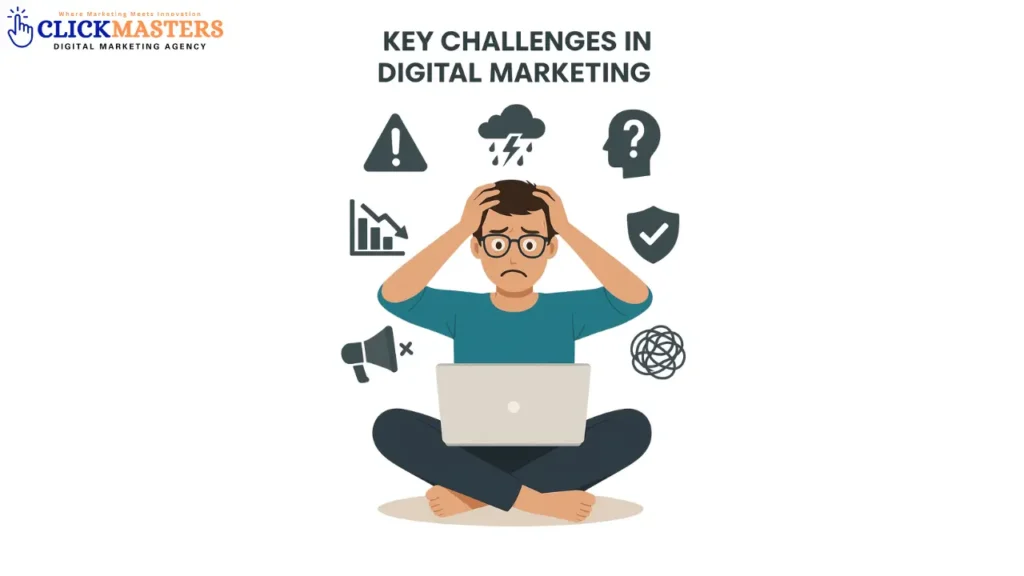
Key Challenges in Digital Marketing in 2025
Digital Marketing in 2025 presents unique challenges for businesses, especially with the fast-paced technological advancements. Companies face issues such as adapting to new algorithms, creating personalized content at scale, and maintaining data privacy while using customer information. The rise of AI-driven tools also requires businesses to keep up with automation without losing a personal touch. What is Digital Marketing? Digital marketing refers to the use of digital channels, platforms, and technologies to promote and advertise products or services to a target audience. It encompasses a wide range of strategies, including search engine optimization (SEO), social media marketing, email marketing, content marketing, online advertising, and influencer marketing. Digital marketing allows businesses to reach a global audience, track campaign performance in real-time, and engage with customers through various digital touchpoints such as websites, social media, mobile apps, and emails. Key Challenges In Digital Marketing Businesses will face a variety of challenges in digital marketing due to the rapidly evolving landscape. From the rise of artificial intelligence to changes in consumer behavior, staying ahead of the competition requires constant adaptation and innovation. Below are some key challenges businesses will encounter in the coming years. Evolving Algorithms and Search Engine Ranking Search engines like Google continuously update their algorithms, making it harder for businesses to maintain high rankings. Adapting to these changes while ensuring a strong SEO strategy is crucial. Companies will need to focus on user experience and relevant content to stay visible in search results. Rising Importance of Data Privacy and Compliance With increasing concerns over data privacy, businesses will need to balance personalized marketing with compliance to regulations such as GDPR and CCPA. Ensuring transparent data collection practices and obtaining customer consent will be paramount in building trust. AI and Automation Integration The rise of AI-driven tools presents both an opportunity and a challenge. While automation can help streamline processes, businesses must ensure that it doesn’t compromise the personalized experience customers expect. Striking the right balance between AI and human interaction will be key to success. Adapting to New Marketing Channels New digital platforms and channels are emerging rapidly, making it essential for businesses to stay up to date with trends. Whether it’s new social media platforms, emerging technologies, or digital tools, keeping up with these changes can be a significant challenge. Building Trust in an Overcrowded Market As more businesses flock to digital platforms, gaining consumer trust has become harder. Establishing authority and credibility through consistent messaging, high-quality content, and transparent business practices will be essential to differentiate from competitors. Increasing Costs of Digital Advertising With more businesses shifting to online advertising, the cost of digital ad space continues to rise. Businesses will need to focus on targeted campaigns, data analytics, and optimization strategies to get the most out of their advertising budgets. Overcoming Challenges Continuous Learning and Adaptation This might include experimenting with new marketing techniques, analyzing performance data to understand what works, and being agile enough to pivot strategies when necessary. Organizations can foster a culture of continuous learning by encouraging knowledge, providing access to training resources, and supporting professional development initiatives. Investing in the Right Tools and Technologies Investing in the right tools and technologies is crucial for overcoming many challenges in digital marketing. Advanced marketing tools can streamline processes and provide valuable insights into campaign performance. Platforms for customer relationship management (CRM),and data analytics enable marketers to analyze vast amounts of data effectively. Building a Skilled Digital Marketing Team Building a skilled digital marketing agency in pakistan is fundamental to successfully overcoming the challenges inherent in the field. A team with diverse skills and expertise can more effectively navigate the multifaceted aspects of digital marketing, from content creation and social media management to SEO and data analytics. Specific Outcome The landscape of digital marketing is characterized by rapid evolution, driven by emerging technologies and shifting consumer behaviors. As explored in this paper, several key trends are shaping the future of digital marketing, while significant challenges necessitate strategic responses from businesses. Beat the Odds – Get Your 2025 Strategy Now! Is Your Strategy Ready for 2025? Find Out! Conclusion The digital marketing challenges of 2025—evolving algorithms, data privacy, AI integration, and rising costs—demand agility and innovation. Businesses must prioritize user-centric strategies, leveraging AI for efficiency while maintaining human creativity. Transparency and compliance will build trust, while high-quality content and smart budgeting will cut through the noise. Success lies in adapting quickly, experimenting with emerging platforms, and focusing on measurable results. FAQs What are the biggest challenges in digital marketing for 2025? The biggest challenges include data privacy concerns, AI-driven automation, maintaining customer trust, adapting to constantly changing algorithms, and managing omnichannel strategies. How will AI impact digital marketing? AI will enhance personalization, automate content creation, and improve targeting accuracy. However, marketers will face challenges in balancing AI’s role with human creativity and ensuring ethical use of data. What role will privacy concerns play in digital marketing? Privacy concerns will continue to escalate as stricter regulations are introduced globally. Marketers will need to prioritize transparency, obtain clear consent, and ensure data security. How will changing algorithms affect digital marketing strategies? As search engine and social media algorithms evolve, marketers will need to constantly adjust SEO strategies, content formats, and ad targeting techniques. What are the challenges in managing omnichannel marketing? Integrating seamless customer experiences across multiple platforms remains a challenge. Marketers must ensure consistent messaging, track customer interactions, and use analytics to optimize campaigns.